Monthly prompt budget
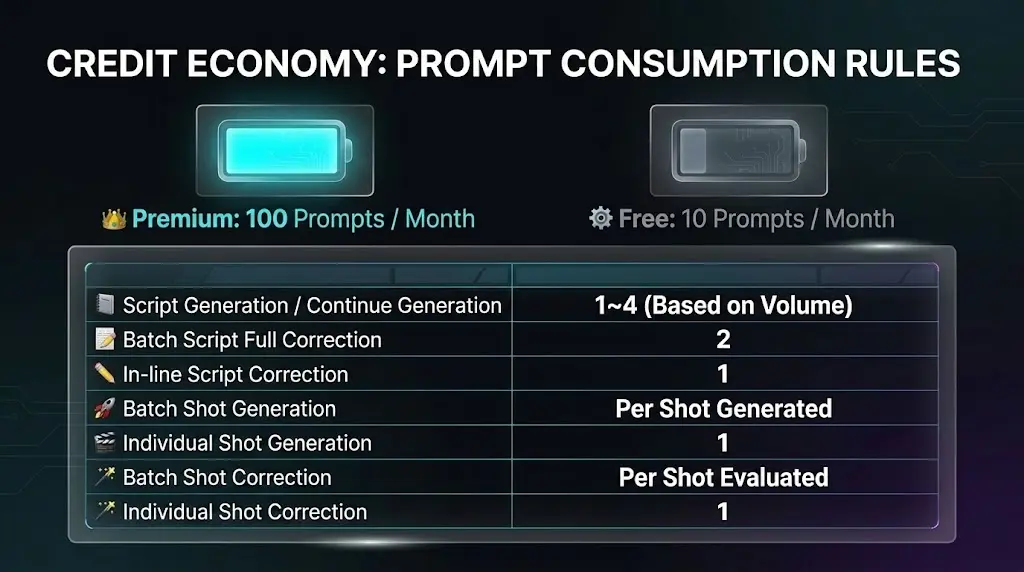
Each AI action spends prompts from your plan’s monthly pool. When you hit the limit, new AI runs are blocked until the next period (limits may vary by plan or campaign).


After reading the documentation, try using the tools to experience film production.
Directors Console is an AI-powered film production support tool designed to help film directors, video creators, and content creators efficiently create prompts and improve their film production workflow.

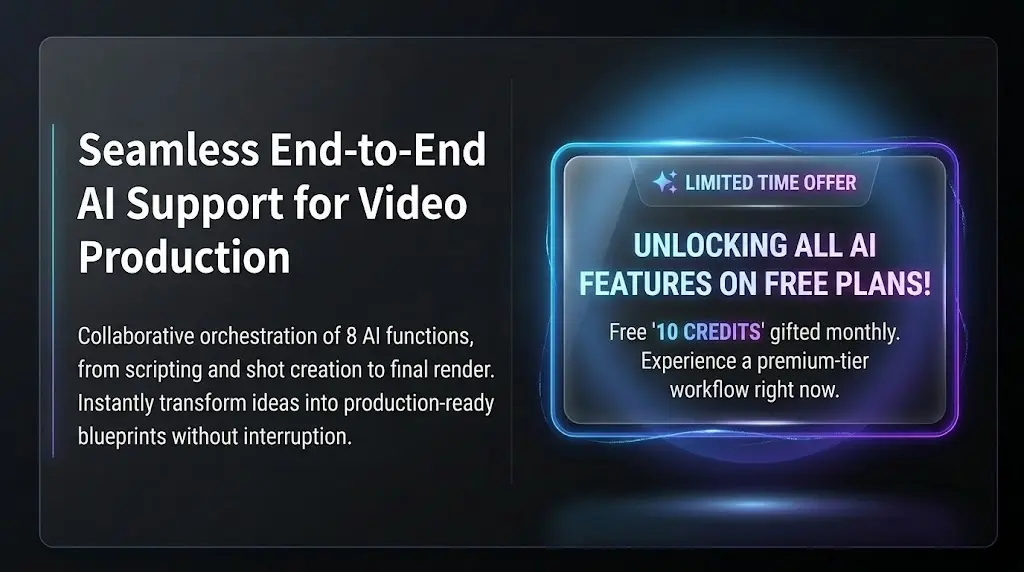
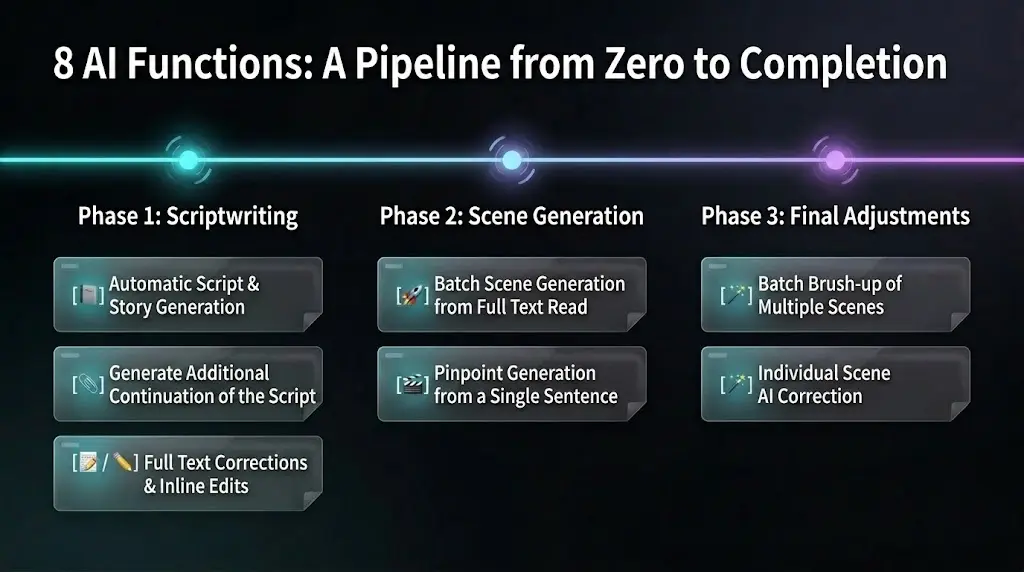
From script creation and continuations to cut generation and refinement — AI accelerates your workflow.
Generate scripts from scratch by selecting conditions
Rewrite the entire script with instructions and quick chips; preview before applying
Select text and instruct AI to rewrite just that range (inline)
Auto-generate all cuts from the entire script at once
Generate a single cut from a specific part of the script
Brush up many timeline cuts at once from one instruction
Improve one selected sticky with AI suggestions
Append the next act or a section-2–style continuation after your existing script
Recommended Workflow
Most editor AI actions count prompts per run. Check your remaining balance before running; use the cards below as a quick reference.
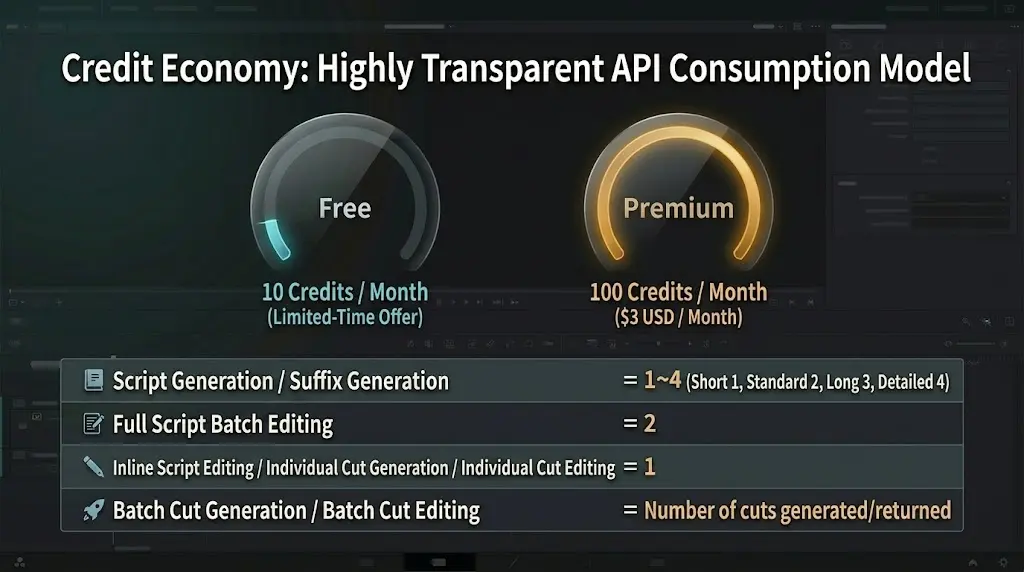
Each AI action spends prompts from your plan’s monthly pool. When you hit the limit, new AI runs are blocked until the next period (limits may vary by plan or campaign).
New script and Continue script: 1–4 prompts by the volume you pick in the modal (Short 1 through Extensive 4).
Full-script bulk rewrite: 2 prompts per run. Inline edit for a selected range: 1 prompt.
Bulk cut generation from the script: one prompt per cut generated. Single cut from one script line: 1 prompt.
Single-cut AI refine uses 1 prompt per run. Bulk cut refine charges by how many cuts the API returns (minimum 1 per successful run even if zero cuts are returned).
Please note
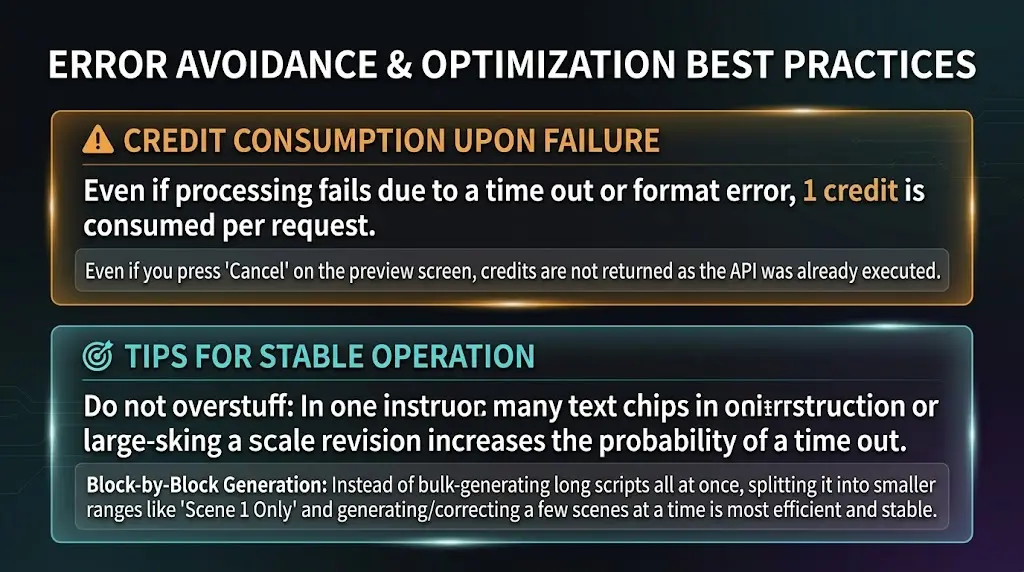
Timeouts and invalid responses still consume 1 prompt credit per request.
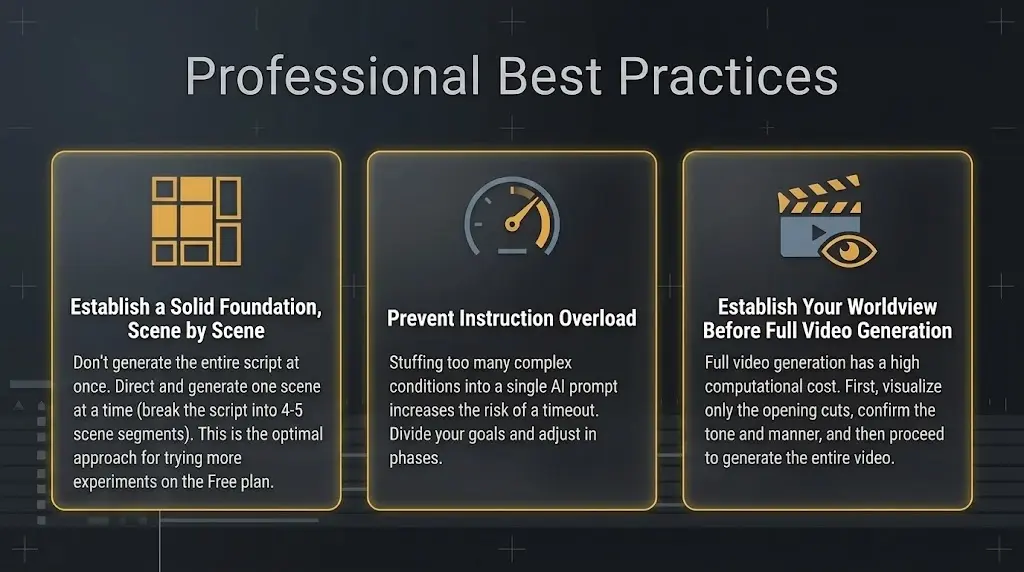
Overloading one instruction increases timeout risk—keep scope clear and split work across separate runs for more stable results.
Movie editor Focus mode is layout-only — no prompts used. For full-script rewrite and cut AI refine, Cancel on the preview still leaves credits consumed because the API already ran.
Exact numbers follow the app implementation (credit constants and APIs). See the consumption table on the AI features page for the full breakdown.

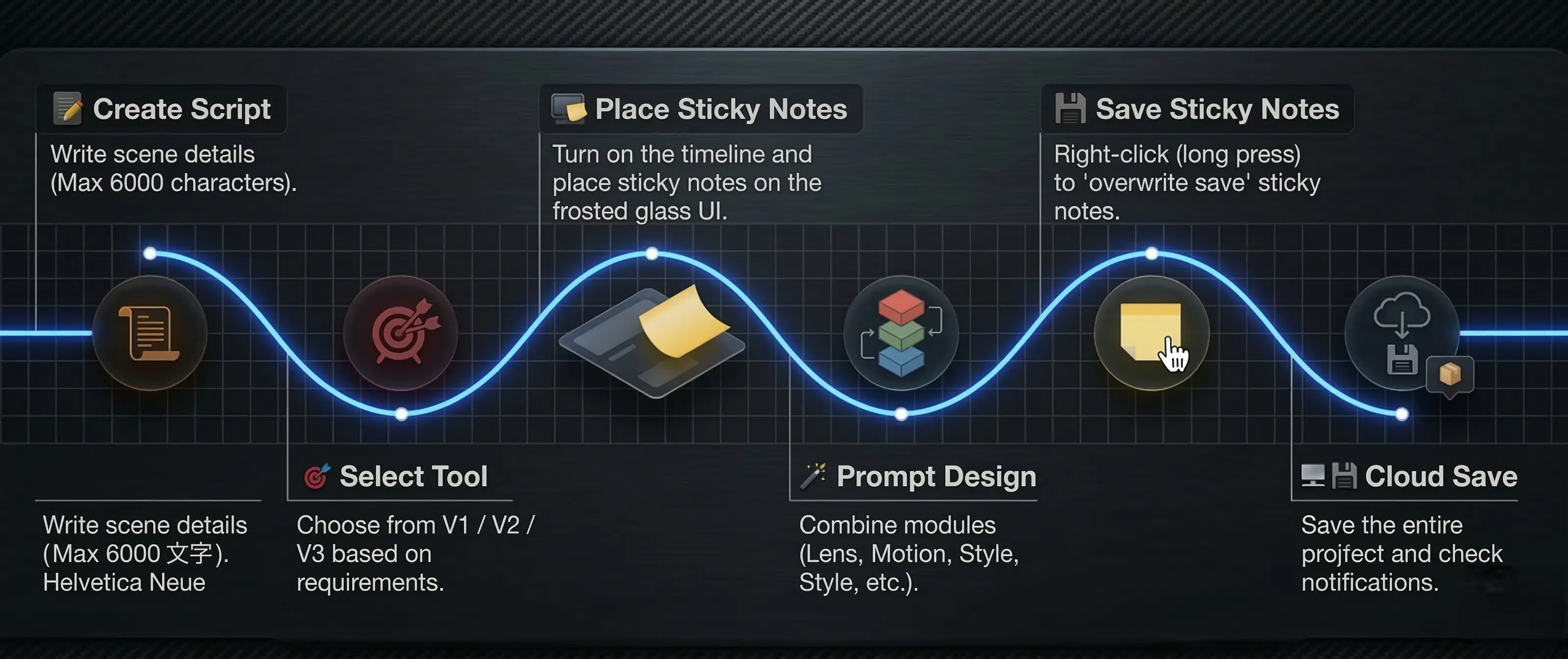
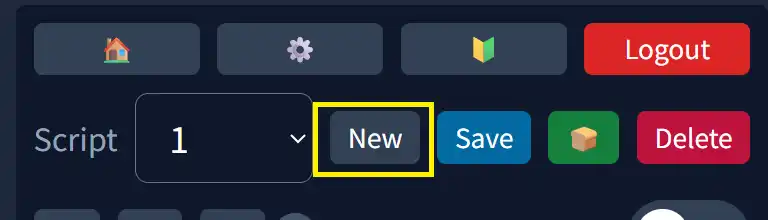
Create a new script and set its name.

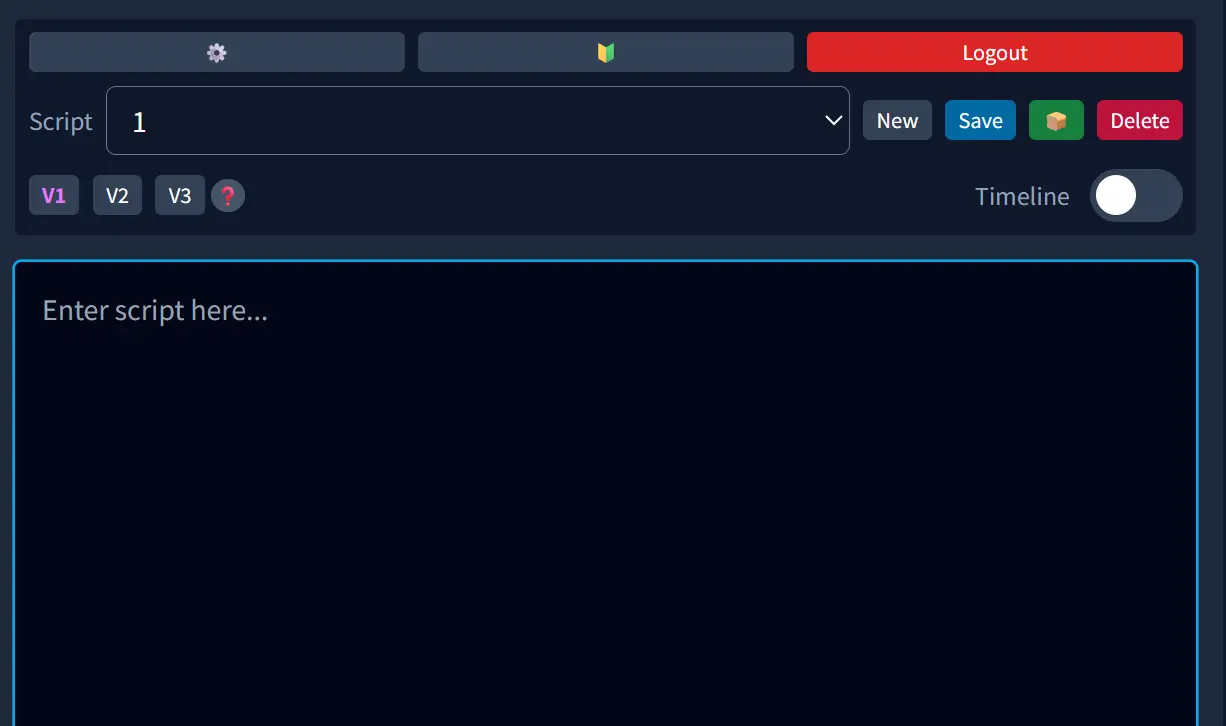
In the script area, describe the story and scene details of your film. You can input up to 13000 characters.

Pick the right tool from V1–V4. V4 is a shotlist-style mode for 3+ people and crowds (Premium).

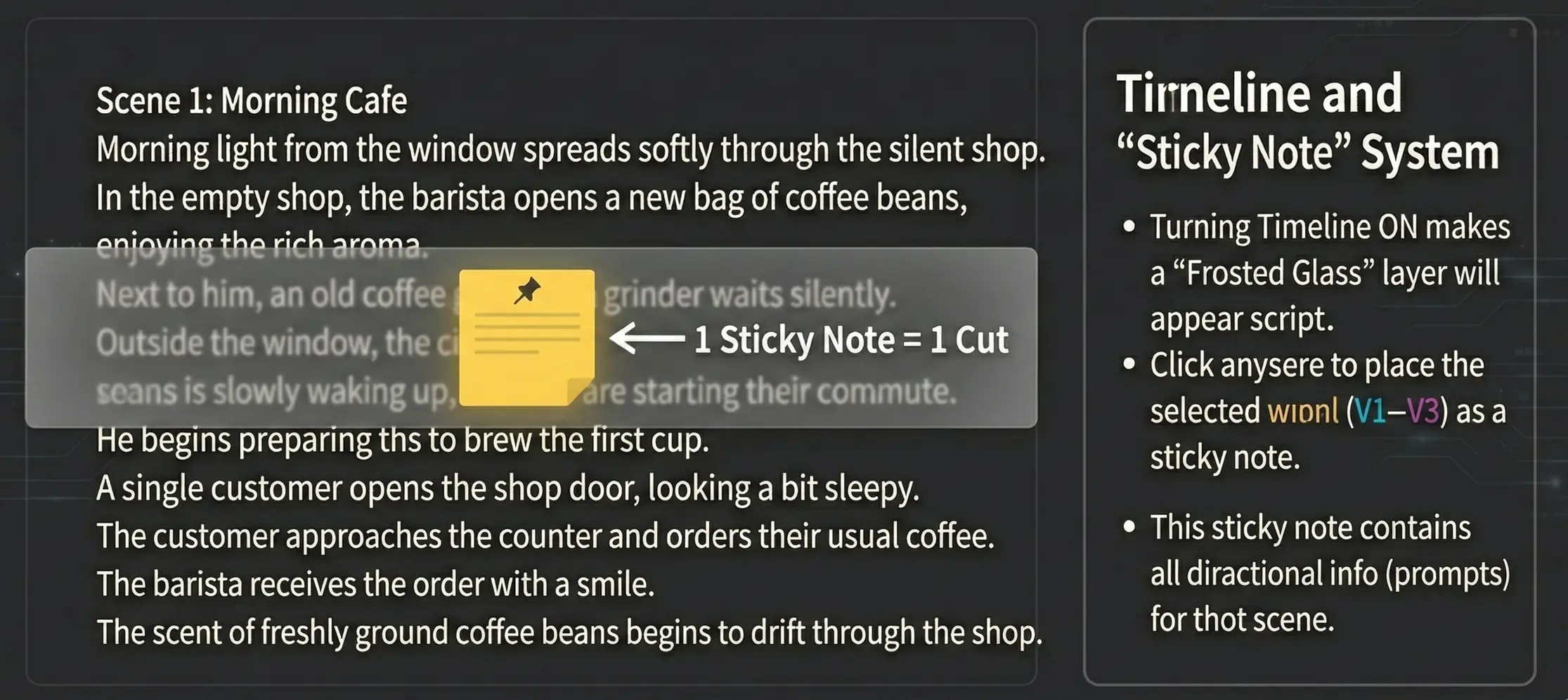
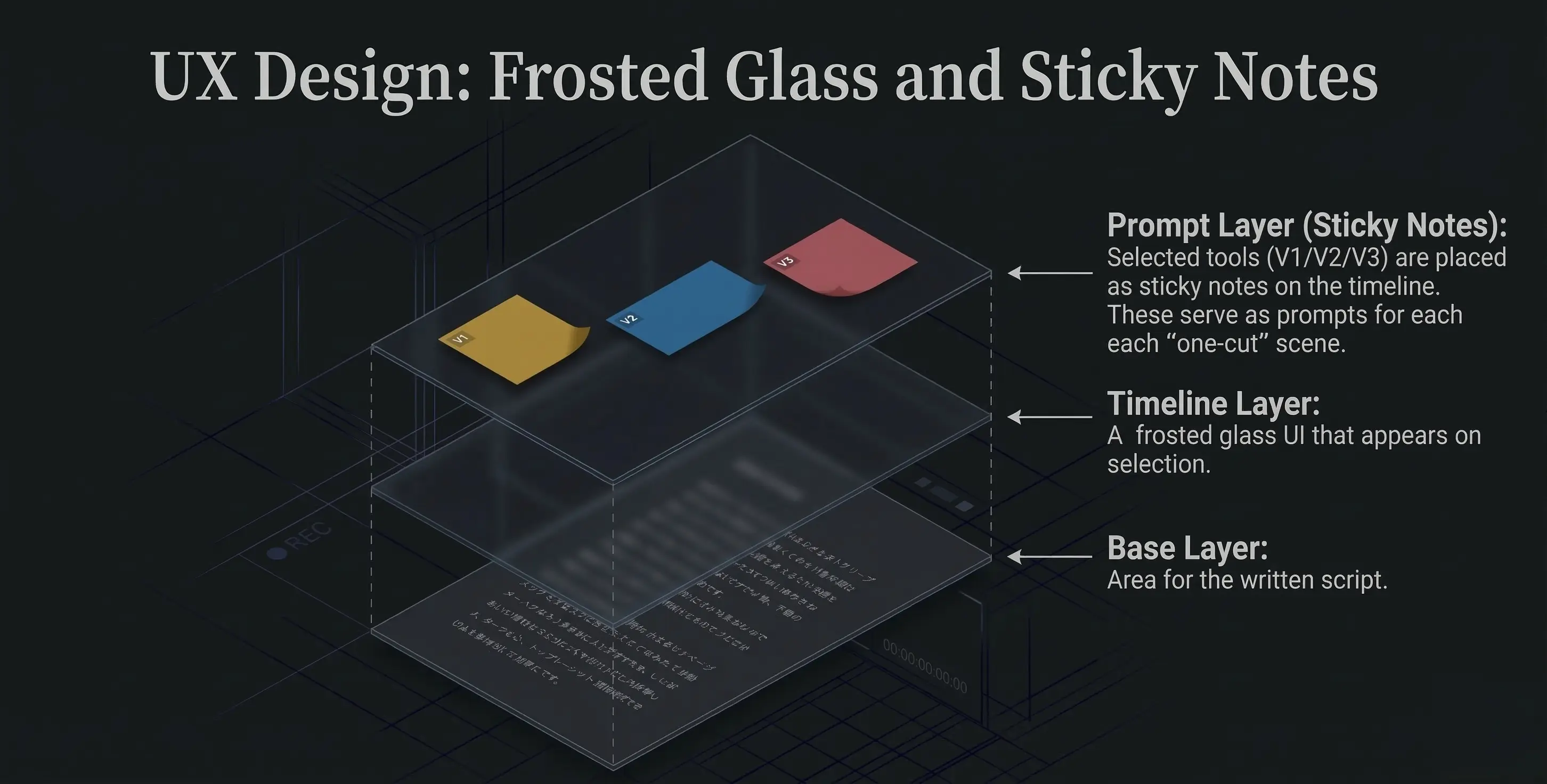
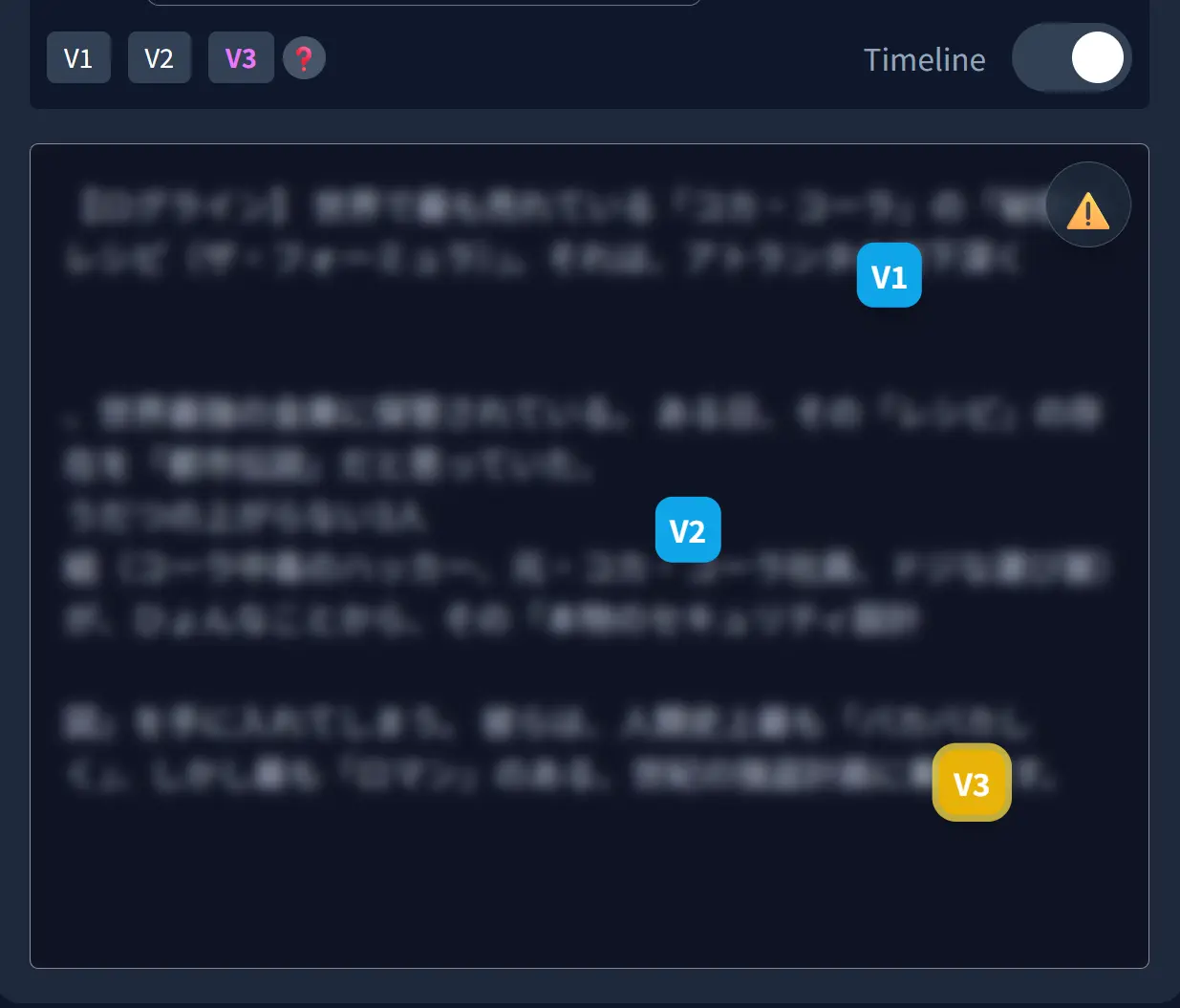
When you turn on the timeline, a frosted glass timeline appears above the script.


Click on the relevant part of the script to place a sticky note (prompt).
Confirm that the tool you want is selected, then click anywhere on the timeline.
The selected tool (V1–V4) is placed on the timeline as a sticky note.
Each of these sticky notes becomes the prompt for each shot on the timeline (scene sentence, lens, camera work, dialogue, conversation, extras, style).

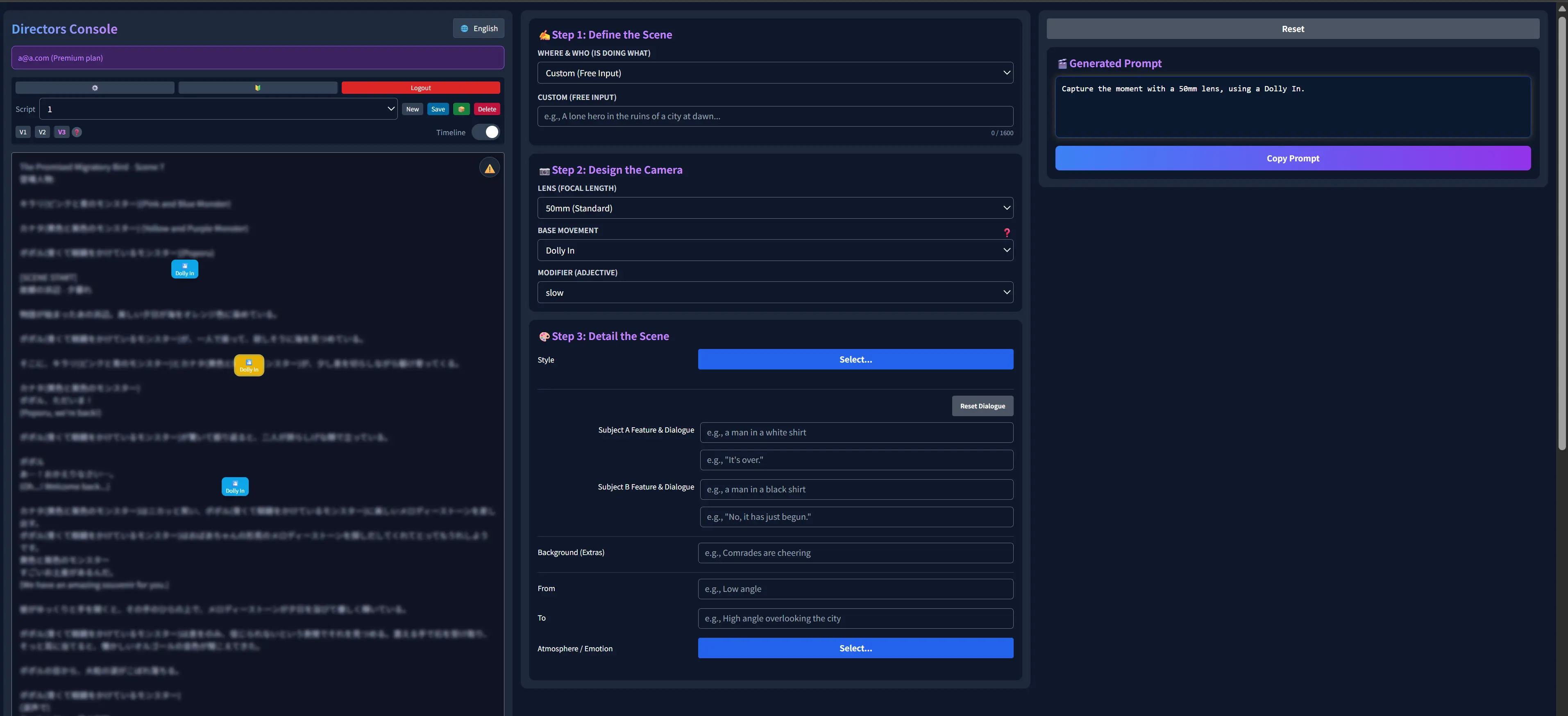
Use the tools (V1–V4) to design your prompts.
On the placed sticky note, set the scene sentence, lenses, camera work, dialogue, conversations, extras, style, atmosphere, etc.
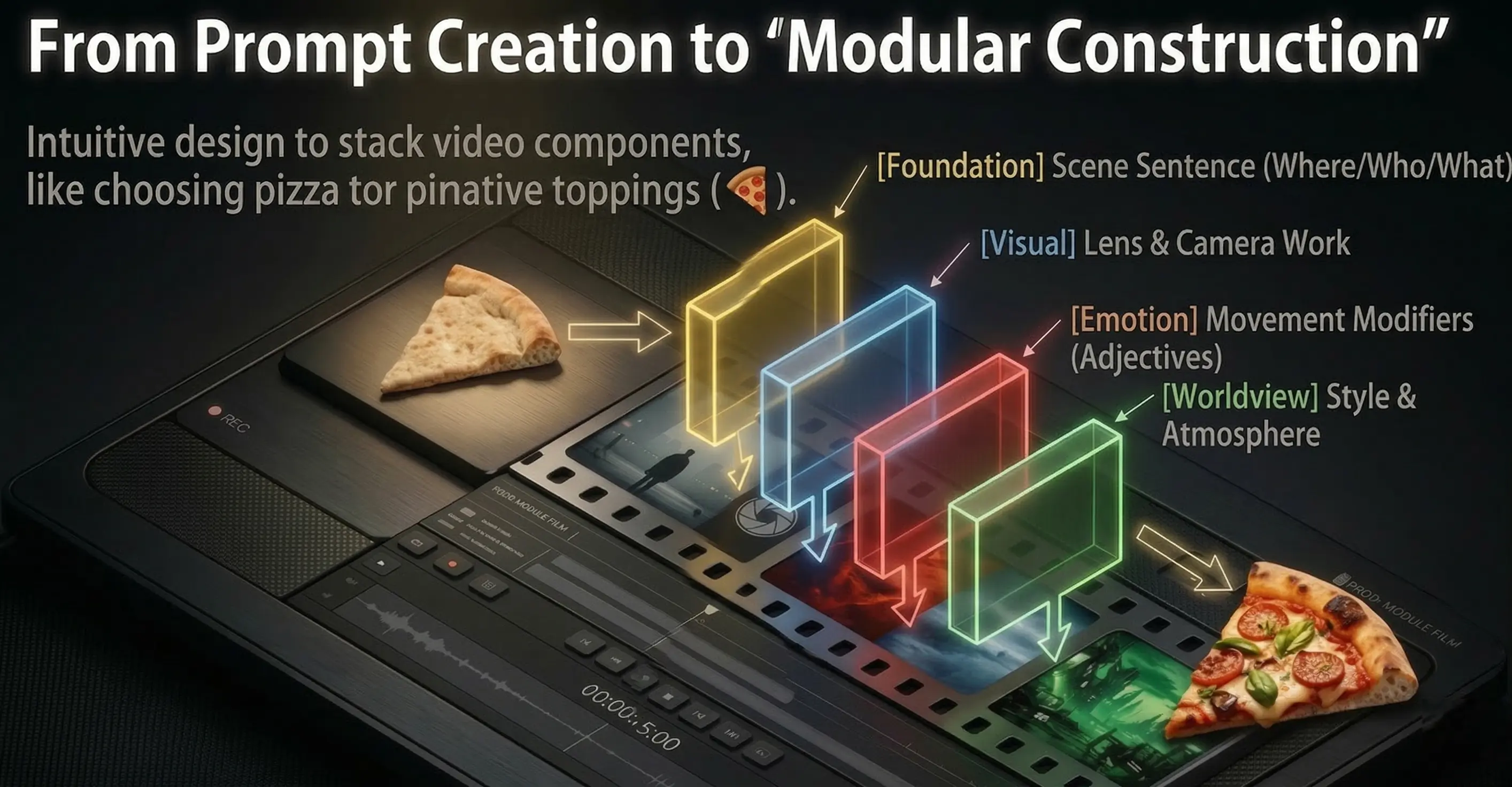
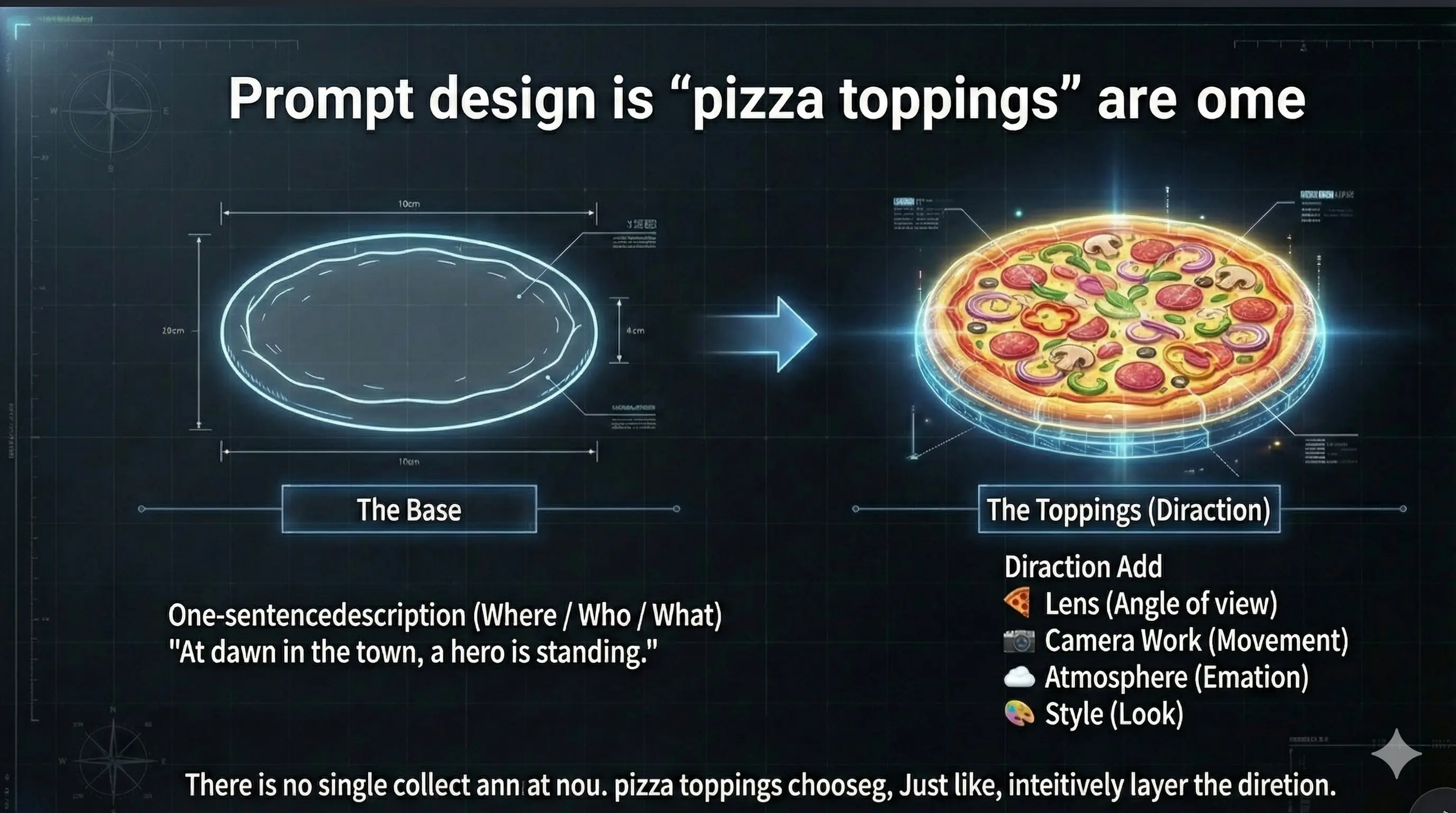
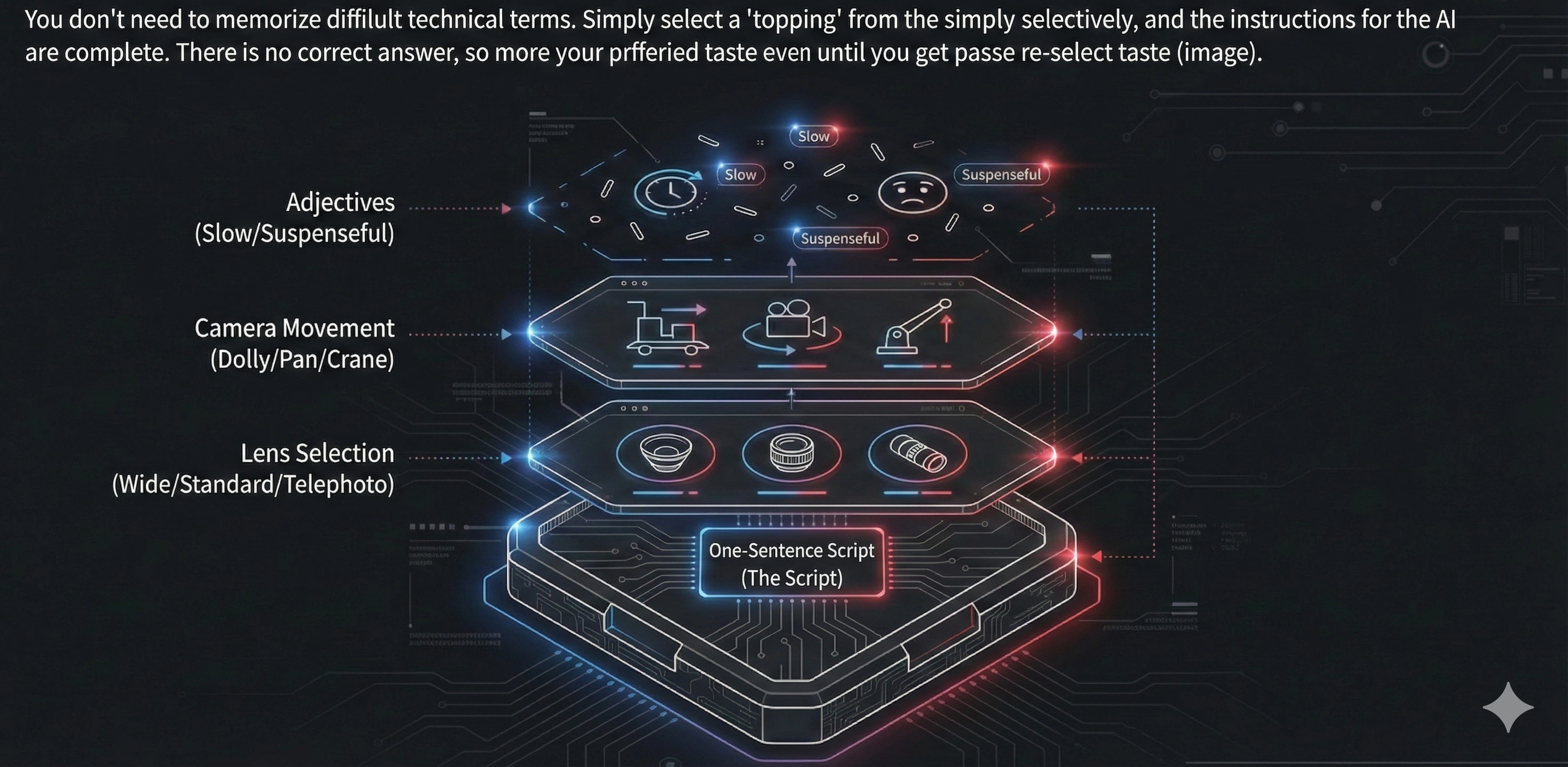
Easy!:🍕 You can design prompts like choosing pizza toppings.

If the topping you want isn't in the list, you can request it. If your suggestion is adopted, we'll invite you to the premium plan with all features—for free.
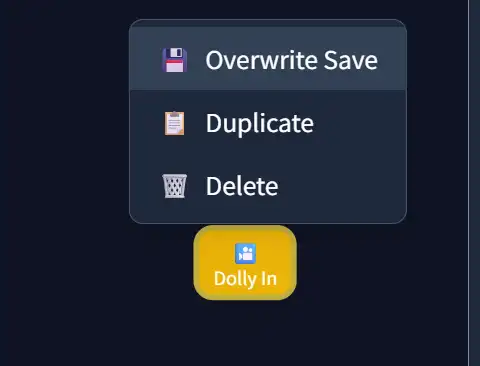
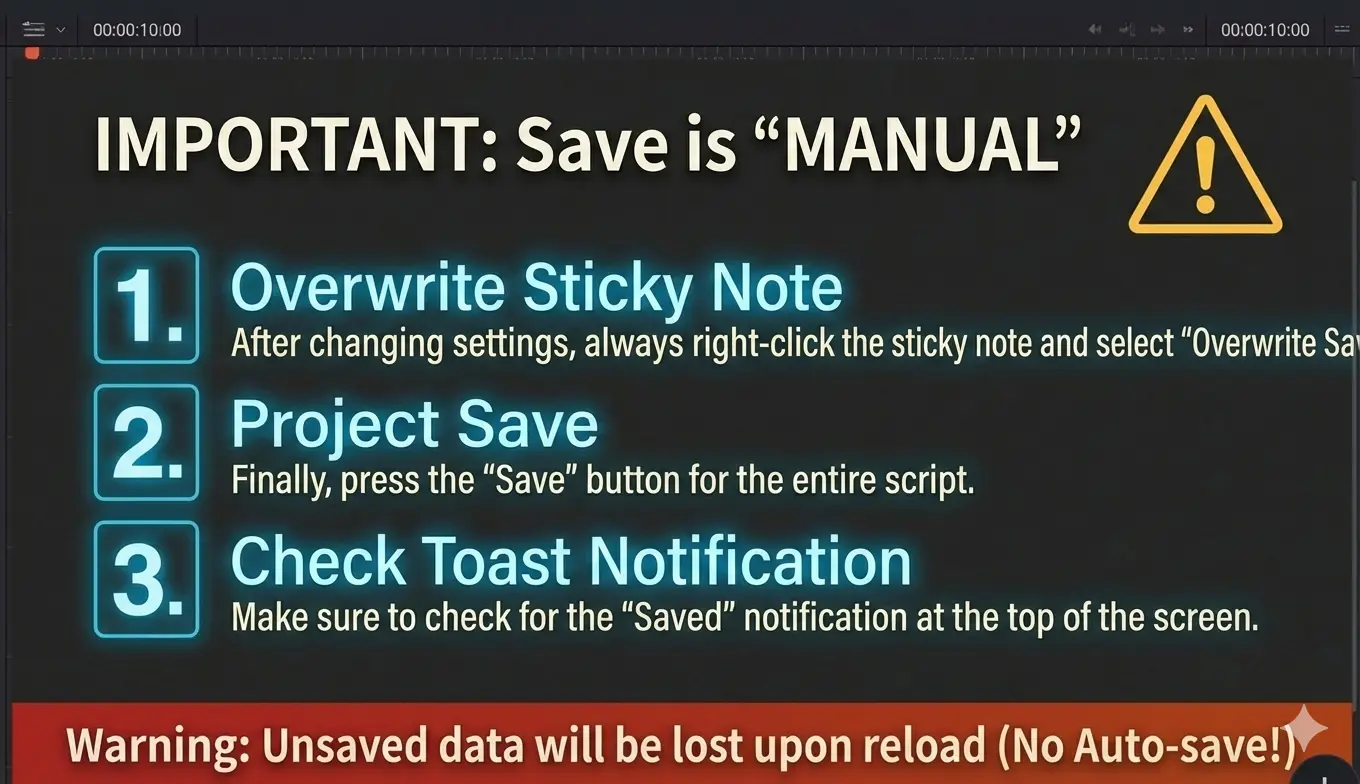
Right-click (or long press on mobile) on the sticky notes created on the timeline while selected and choose "Overwrite Save".
If you save the script without overwriting the sticky notes, the sticky note content will not be saved.

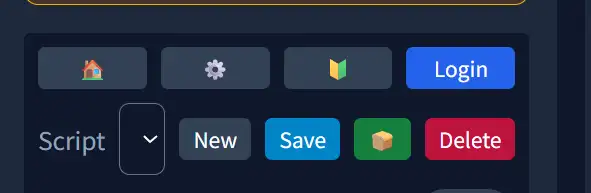
Use the "Save" button on the script to save the entire project (created script and prompts). When saving is complete, a toast notification will appear at the top of the screen. If notifications don't appear, press the 🍞 button to test. If it still doesn't appear, reload the page.
If you are not logged in, your project is stored only in the browser cache (temporary storage). It may be lost if you clear the browser or change devices, so please treat this as trial use only.

First, press the 🍞 button to test if toast notifications are displayed properly. If notifications don't appear, please reload the page.
⚠️ Warning: Reloading without saving will lose data, so we recommend testing first.

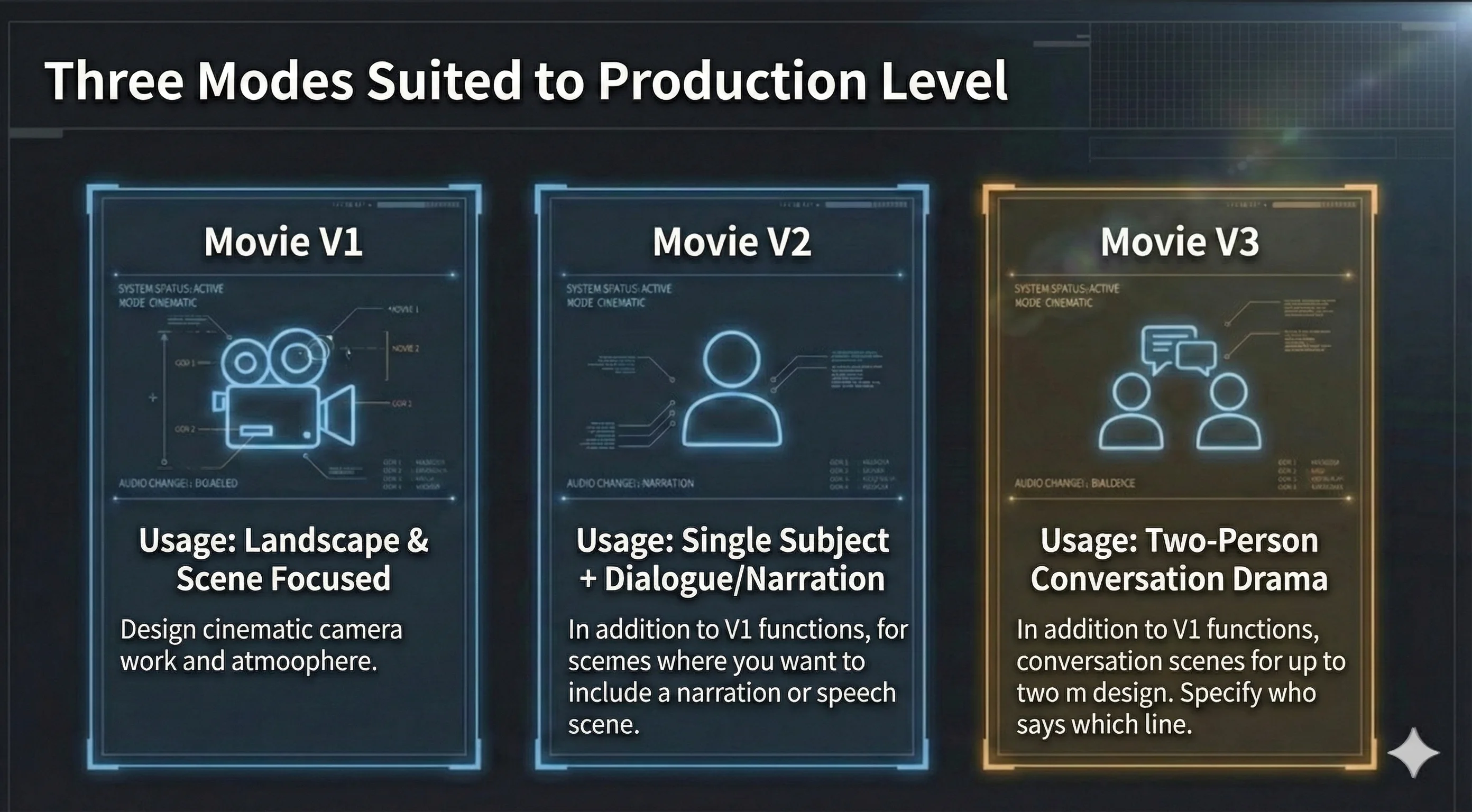
Incorporates cinematic camera work (lens & movement & adjectives) into prompts. Designs video style, cut atmosphere/emotion, background/extras.
In V2, Subject, Dialogue, and optional Narration are separate: on-screen lines vs. voice-over.
+ V1 features
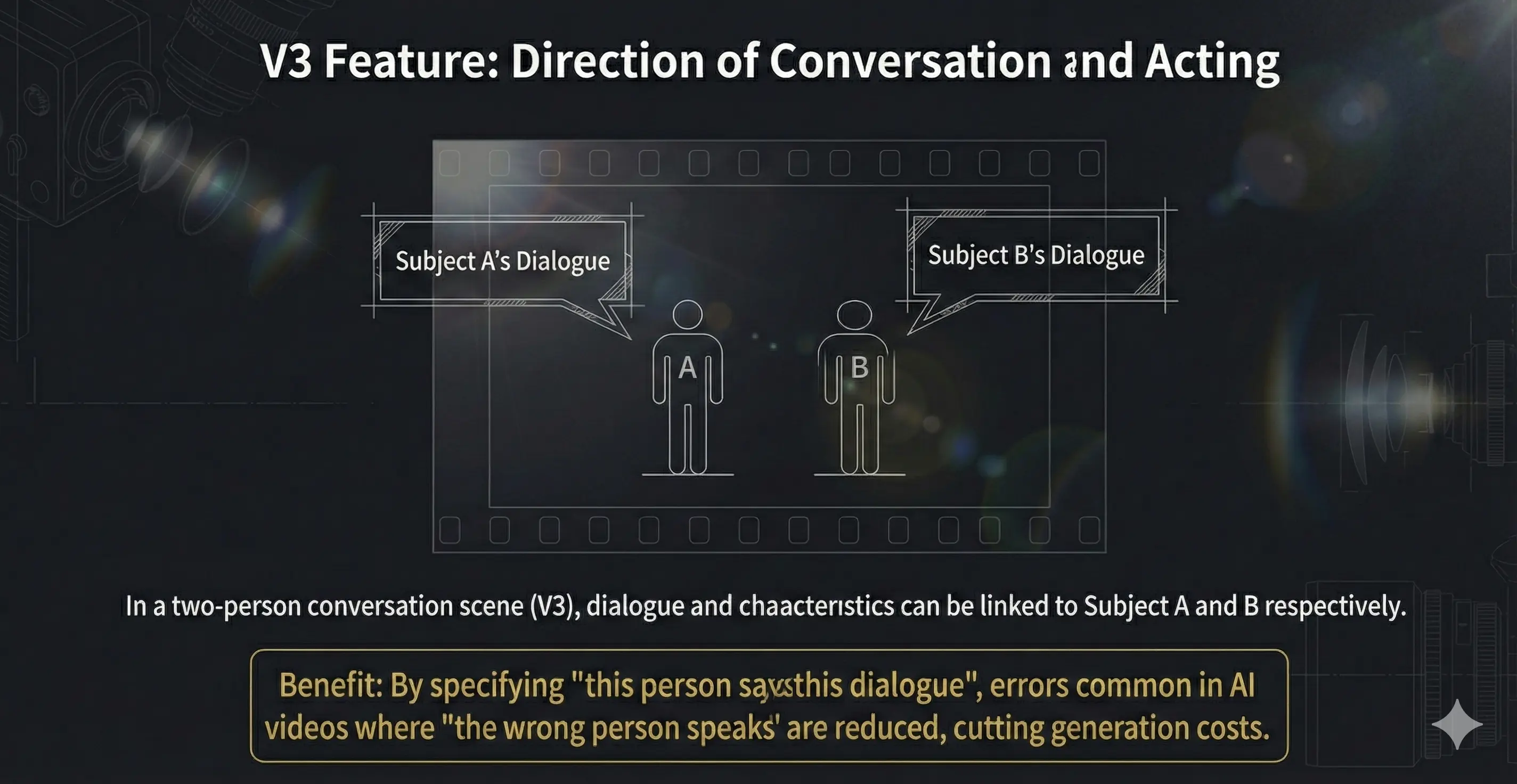
For two-person dialogue cuts. Each subject has appearance, on-screen dialogue, and an optional **Action** field (action-only → leave dialogue empty). If both dialogue and action are filled, the built prompt merges them as (verb)line inside the quoted line. Do not duplicate the same beat in both fields. + V1 features
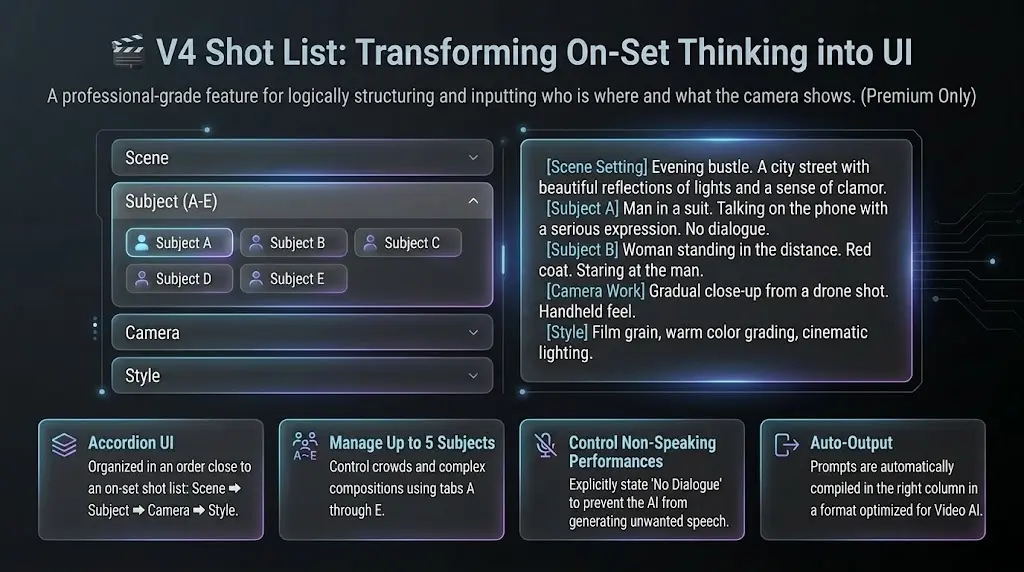
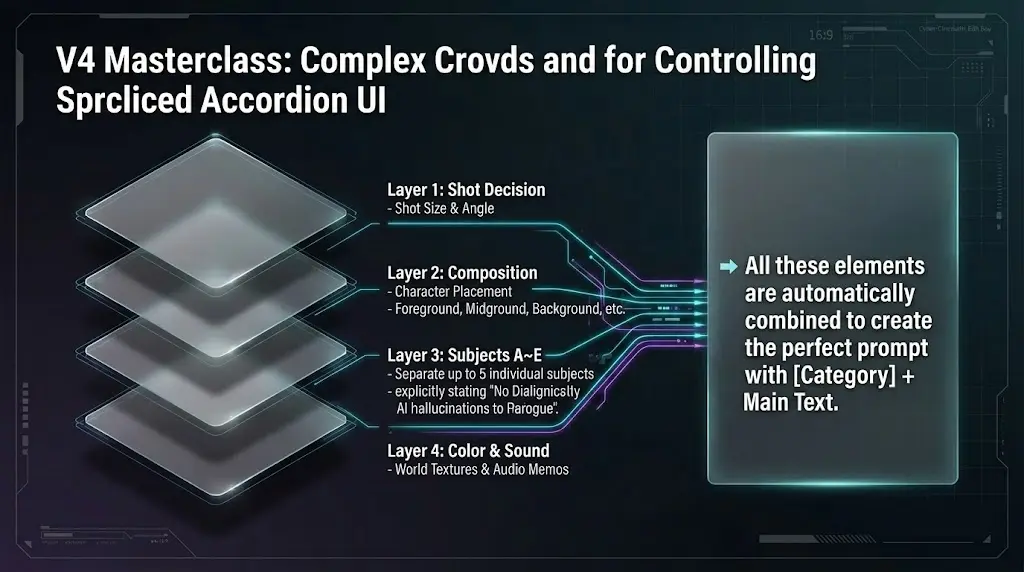
For 3+ people, crowds, and complex blocking. Shotlist-style: up to five subjects (A–E) with appearance, lines, and action, plus shot size, angle, focus, blocking, color palette, and more—alongside V1-style camera, style, and extras.
+ V1-level camera, style, art/extras, narration. Toolbar: right of V3, left of the help (❓) button.
For scenes that don’t fit V1 (scene), V2 (one person), or V3 (two people). Think **shotlist-style**: who is where, what the camera emphasizes—the right column builds a clear prompt.
In the movie editor toolbar, click **V4** (Shotlist) next to V1–V3. **Premium** feature.
Turn on the timeline and place a sticky where this shot belongs in the script—same as other tools.
The center column uses **accordions** and tabs: **Scene** → **Subjects (tabs A–E)** → **Camera** (shot size, angle, focus…) → **Style & art**—like a real shotlist. Leave unused subject tabs empty.
The right column assembles **【Category】 + text** lines so detailed directions read clearly for video AI.
Confirm that the tool you want is selected, then click anywhere on the timeline to add a sticky note (prompt).


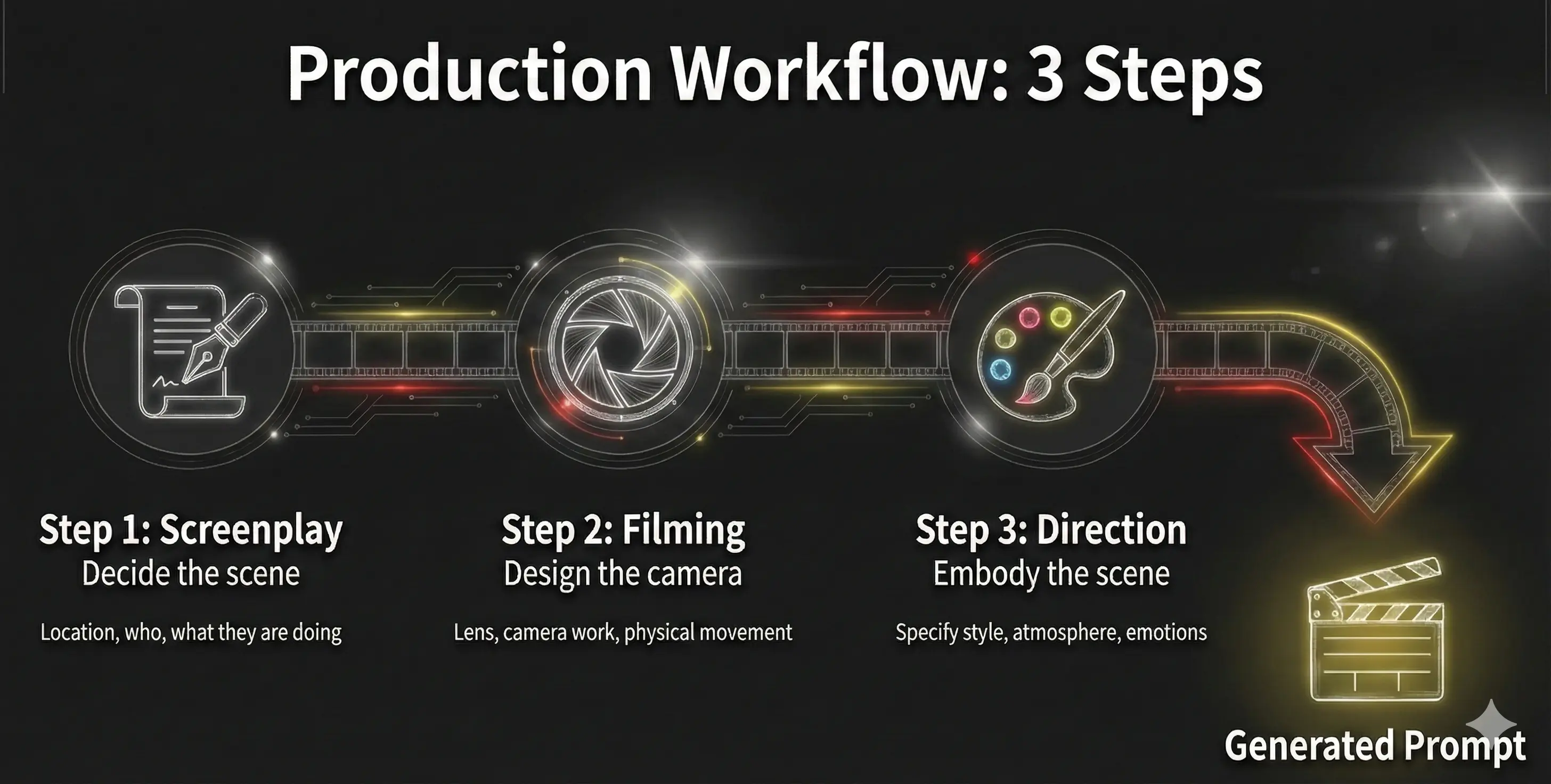
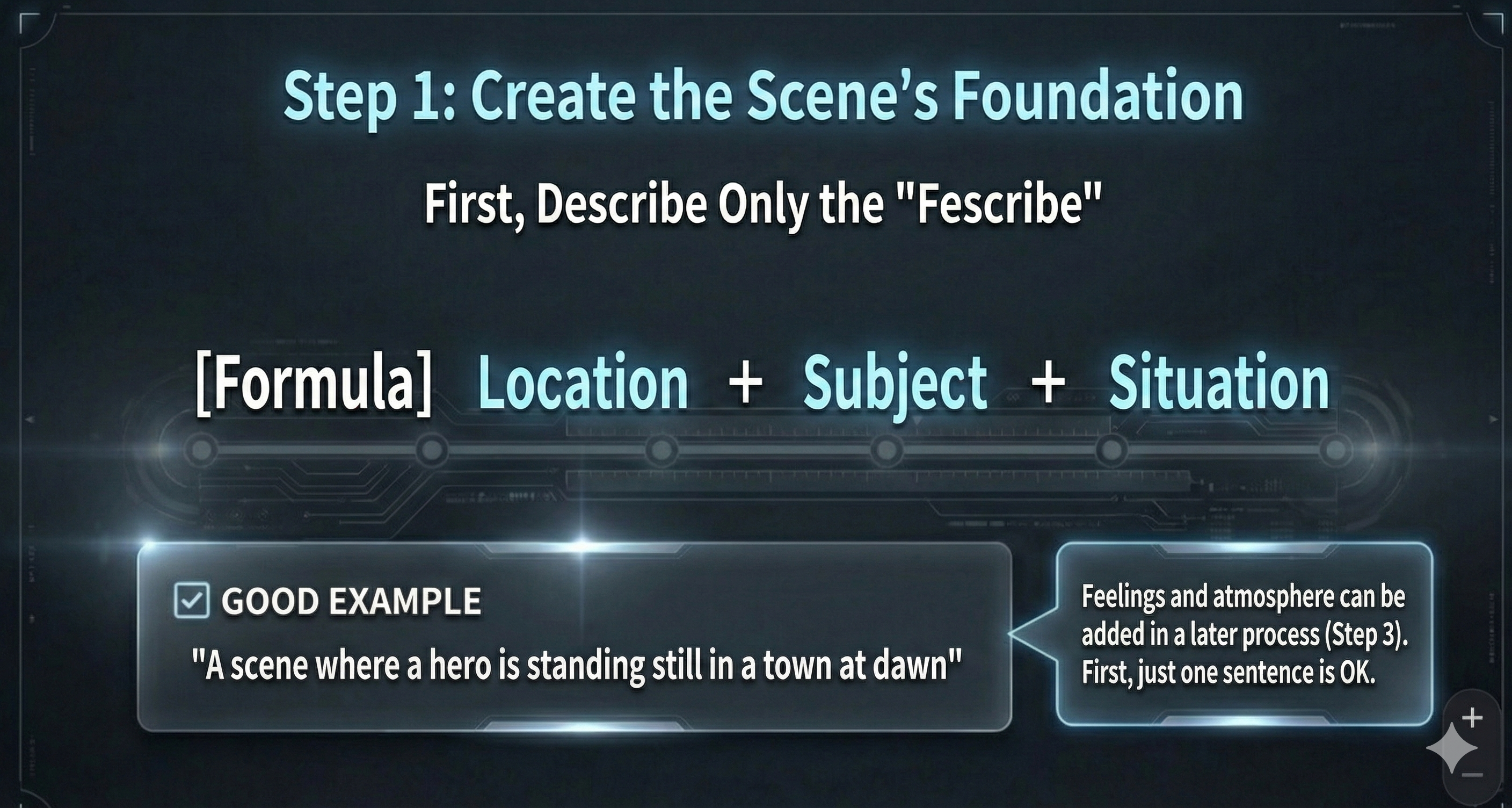
Before thinking about camera work, write one line for “where / who / what is visible” (end like a single scene beat; **no** trailing period). Put **this cut’s situational premise** (often **not** directly on screen, but the **context and story flow** that shape how this cut reads) **in parentheses (...)** immediately **after** that line; write it **with enough detail**. **Do not invent** beyond the script. This line (and optional parentheses) becomes the foundation for lens, camera movement, style, and atmosphere.
A hero stands still in a town at dawn (script-grounded context, e.g. right before the battle—optional).
Body = visible facts; **(...)** = script-grounded premise—**enough detail**. Cut-wide mood → Step 3. On-screen expression/attitude (e.g. standing angry) may go in the body.
Tip: keep it short. Start with “where + who + what”, then add details in Step 2 and Step 3.


🍕 Think of this as a “camera-work menu”. Like choosing pizza toppings, just pick what feels right. There’s no single correct answer—start with one and adjust until it matches your intent. If the move you want isn’t listed, you can suggest it via the Word Request Campaign.
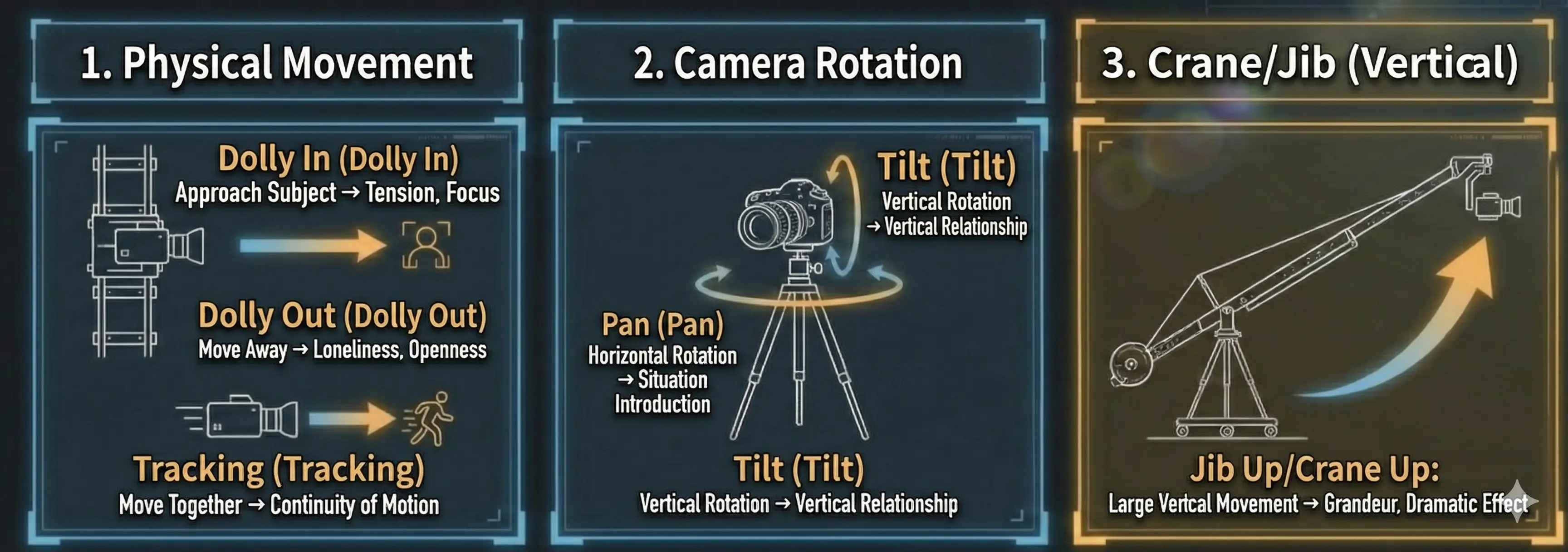
Camera movement toward the subject. Creates tension and focus.
Example: Slow dolly in on her face as her expression hardens with new resolve.
Camera movement away from the subject. Creates loneliness or openness.
Example: Slow dolly out to reveal the vast desert, emphasizing his isolation.
Camera work that moves with the subject. Expresses continuity of movement.
Example: Smooth tracking shot following the detective through the crime scene.
Horizontal camera rotation. Used to introduce landscapes or situations.
Example: Slow pan right across a serene zen garden, from stone lantern to sand pattern.
Vertical camera rotation. Expresses vertical relationships.
Example: Start on boots, then tilt up slowly to reveal the full armor.
Camera movement upward. Creates grandeur and openness.
Example: A couple kisses, the camera gracefully jib ups high above.
Large-scale vertical movement. Creates dramatic effects.
Example: Crane down from the wide city view to focus on the lone figure on the rooftop.
Changes the focal length of the lens to magnify the subject. Creates tension.
Example: Slow zoom in on the mysterious letter, creating tension as details become clearer.
Changes the focal length of the lens to reduce the subject. Reveals the big picture.
Example: Zoom out to reveal the character is actually in a massive, futuristic laboratory.


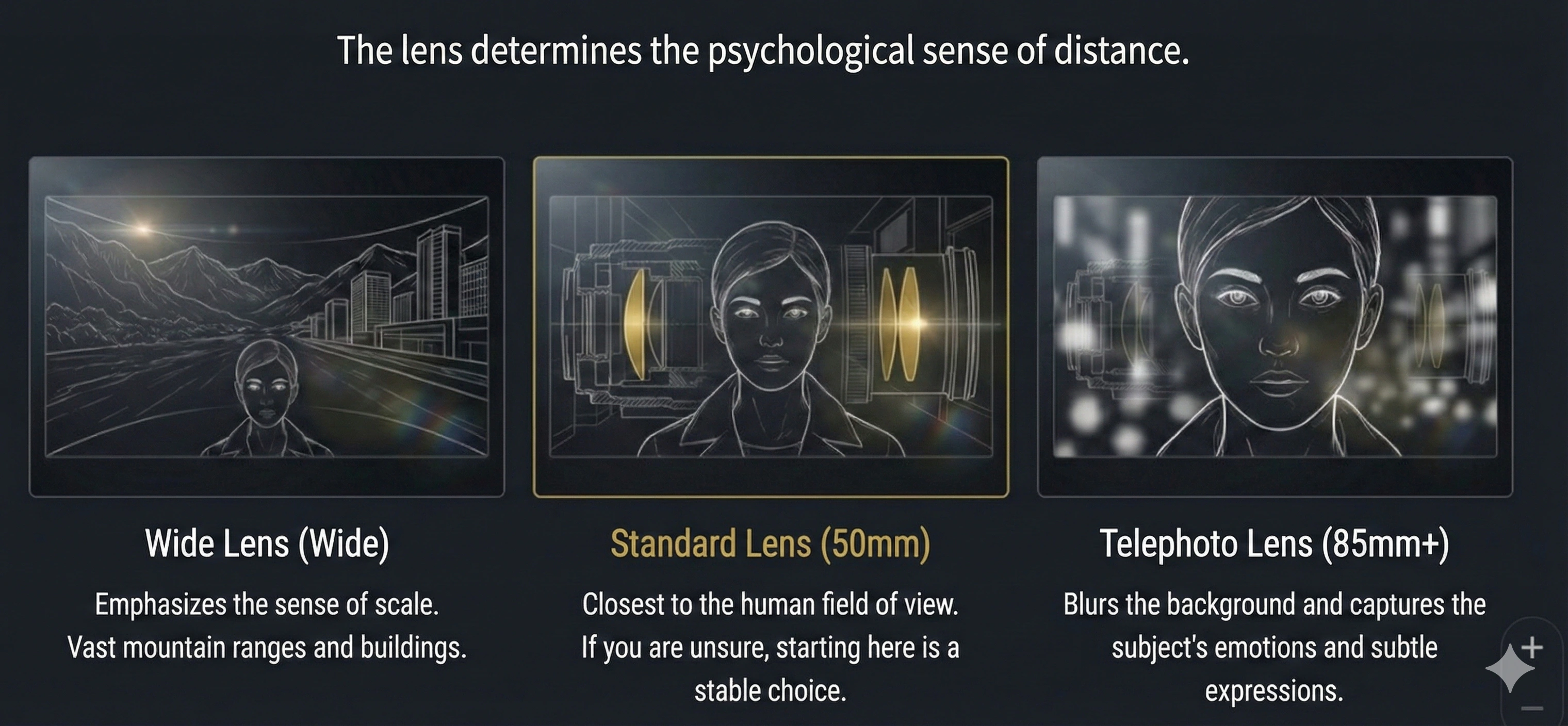
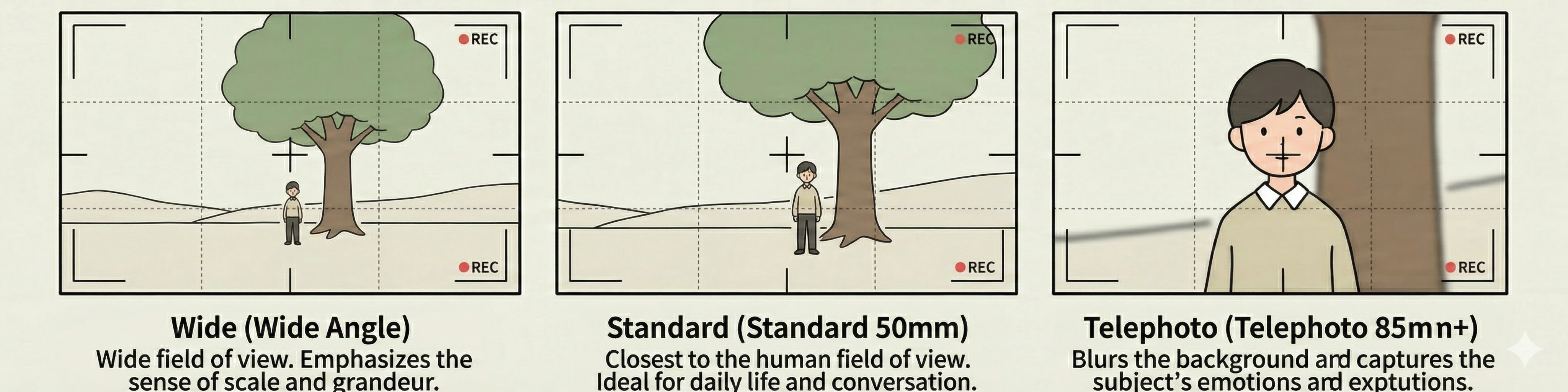
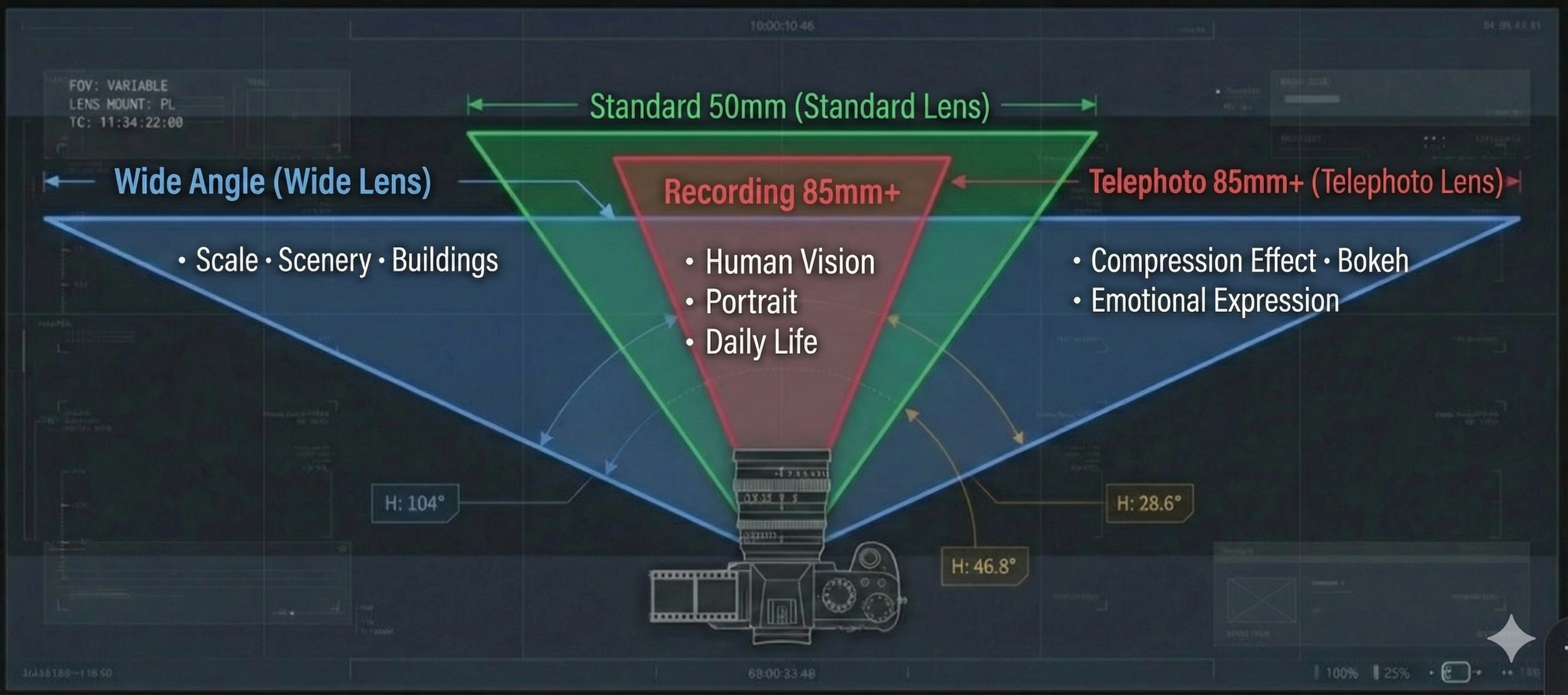
🍕 The lens is your “framing topping”: wide, standard, or telephoto. Pick intuitively. If you’re unsure, start with Standard (50mm) for a safe baseline. If you want a lens term that’s not in the list, use the Word Request Campaign.
Used for shooting landscapes and buildings with a wide field of view. Can emphasize scale.
Example: Wide-angle shot of vast mountain range, emphasizing nature's scale and majesty.
Most natural field of view closest to human vision. Suitable for portraits and everyday scenes.
Example: Medium shot with 50mm lens capturing intimate conversation between two characters.
Magnifies the subject and blurs the background. Suitable for close-ups and long-distance shooting.
Example: Telephoto close-up of actor's eyes, capturing subtle emotions in expression.


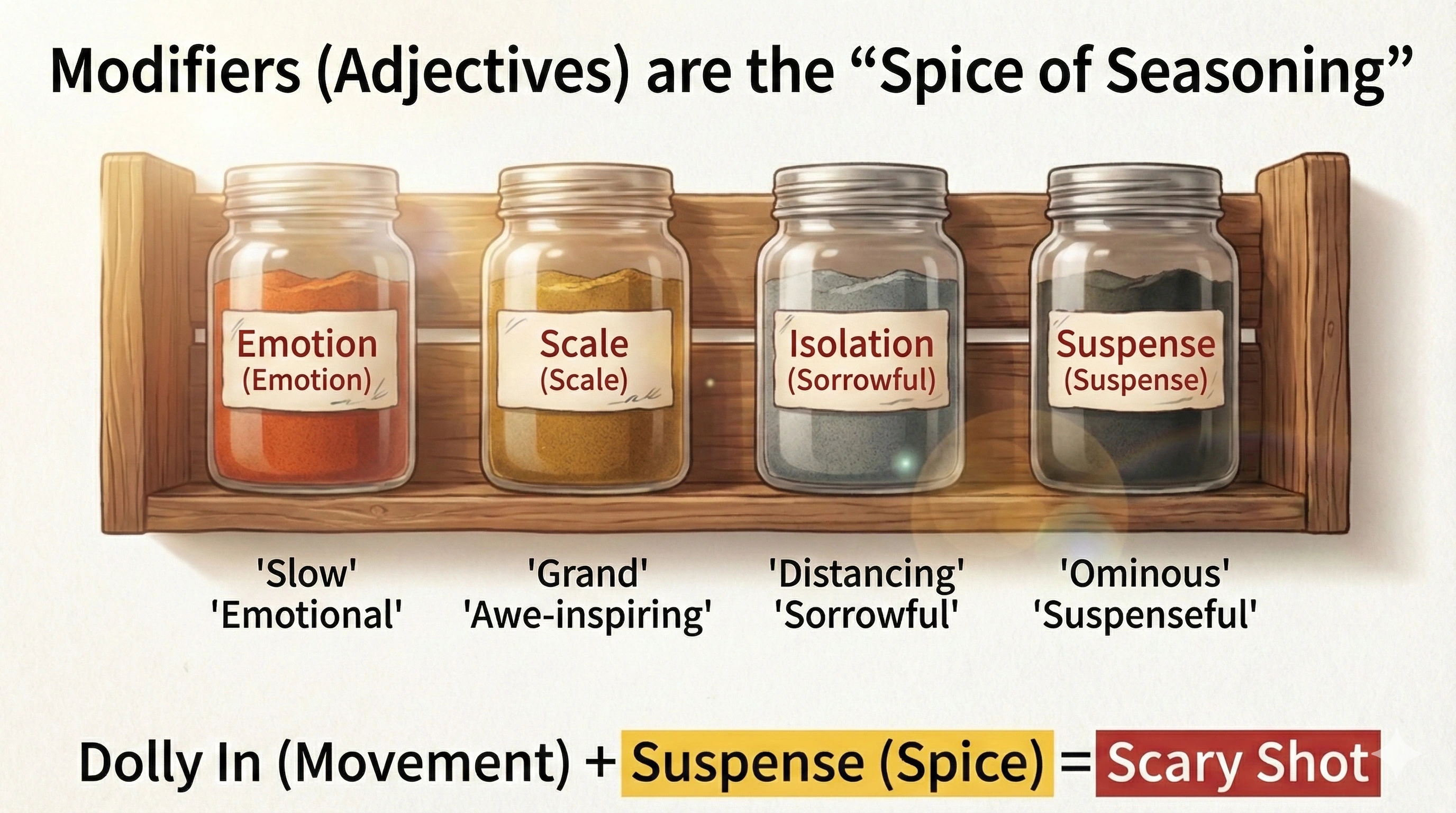
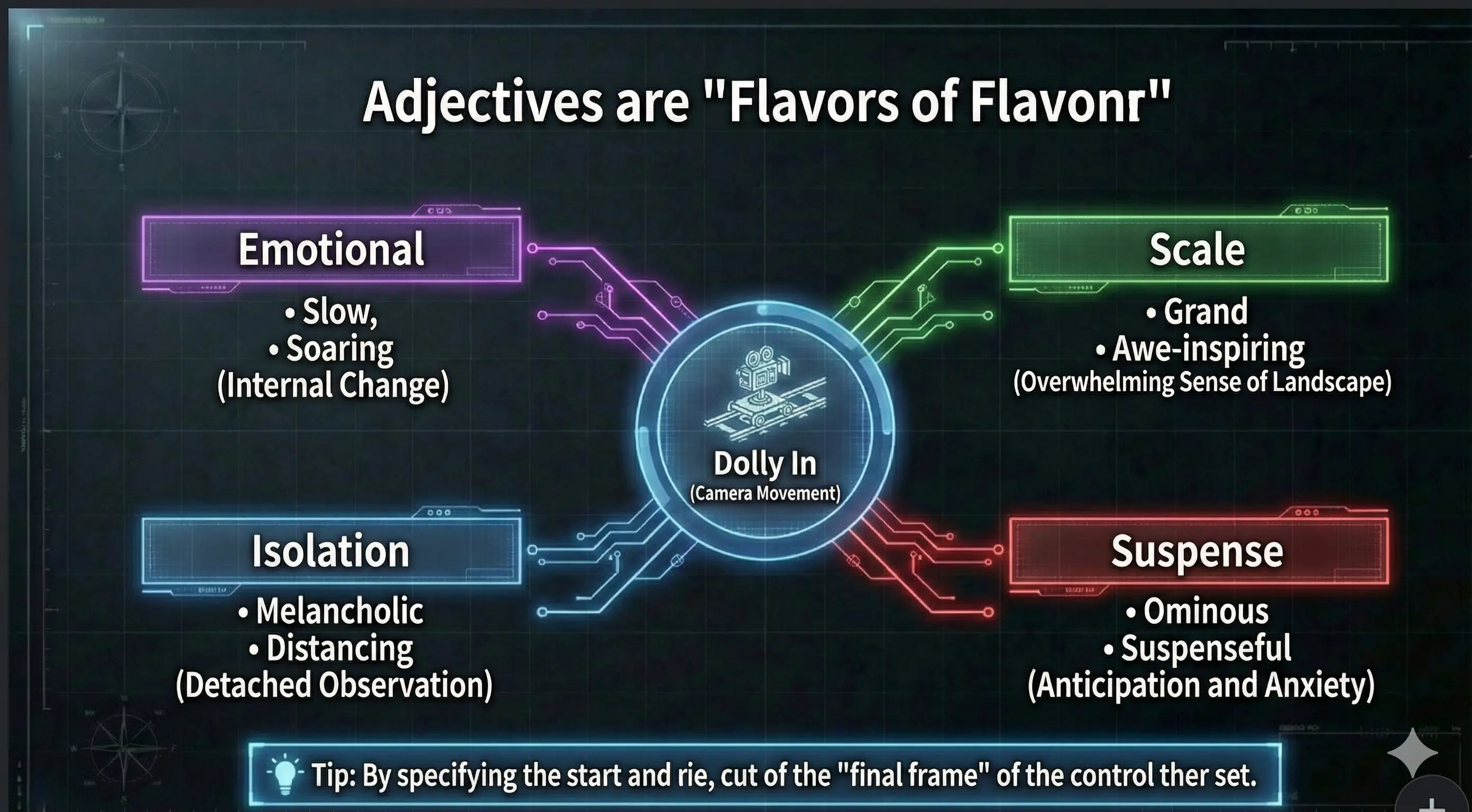
🍕 Adjectives are “seasoning toppings”. Add one nuance on top of the movement (Dolly / Pan, etc.). Start with just one—swap it to change the feel quickly. Missing an adjective you want? You can request it via the campaign.
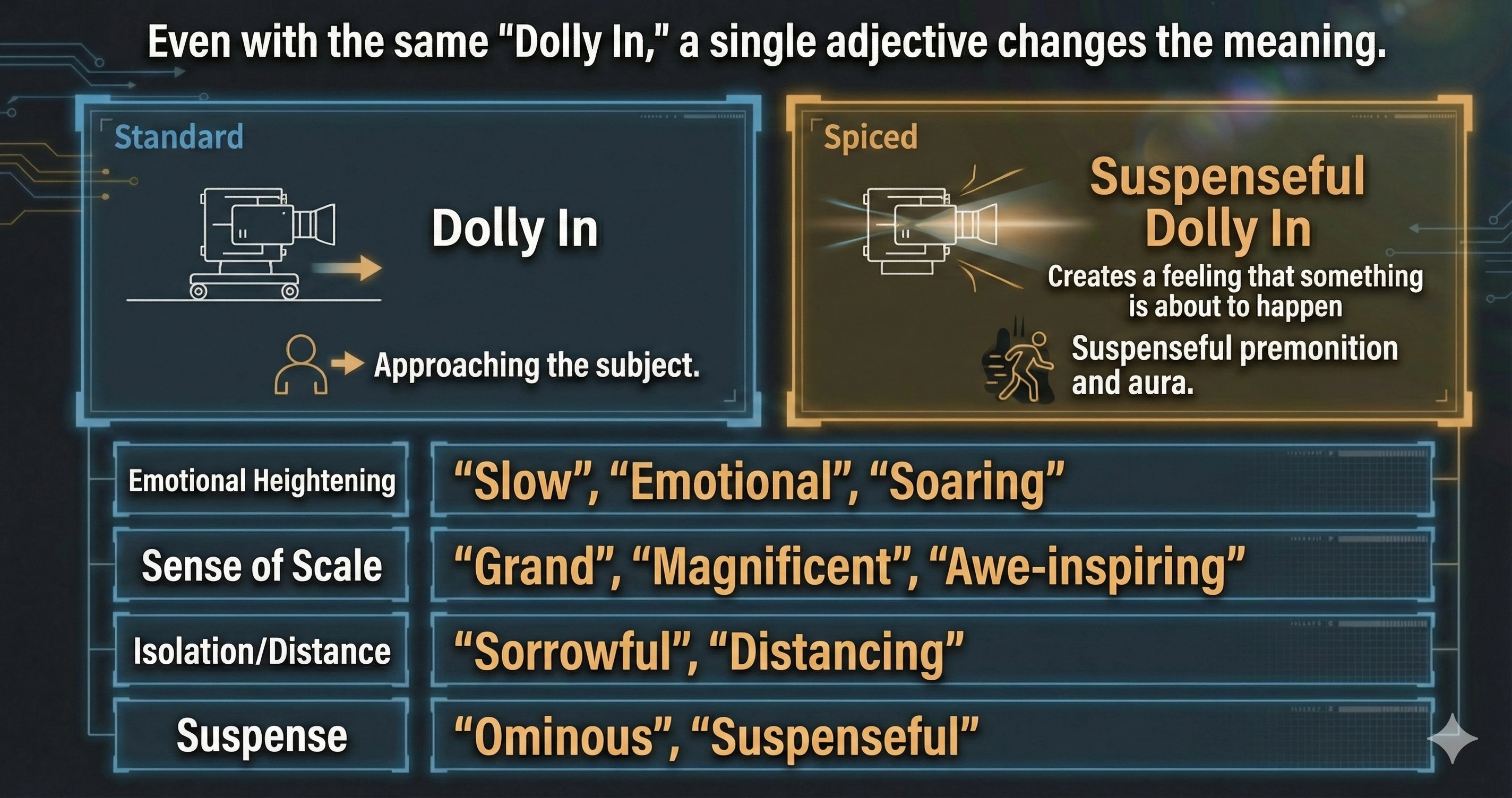
In Step 2 “📷 Design Camera”, you combine lens, basic movement (Dolly In / Pan / Tilt, etc.) and modifiers (adjectives) to describe *how* the camera feels. Even with the same Dolly In, a “slow Dolly In” and a “suspenseful Dolly In” create completely different impressions.
Use these when you want to emphasize the character’s inner emotions and lift the audience’s feelings.
Prompt examples: “A slow Dolly In that moves in on the victorious hero’s expression.” “A soaring Crane Up that rises from the hero on the mountain peak into the sky.”
Use these when you want to express the size, sacredness, or epic scale of the world or landscape.
Prompt examples: “An epic Pan Right with a 24–35mm lens that smoothly reveals a vast, newly discovered valley.” “An awe-inspiring Dolly Out that contrasts a lone explorer with the scale of the canyon.”
Use these when you want to show distance between the character and the world, or a sense of sadness and coldness.
Prompt examples: “A slow Dolly Out on an empty, rain-slicked street that emphasizes a melancholy mood.” “A distancing Pan Left that watches a solitary figure from far away.”
Use these when you want the audience to feel tension, unease, and a fear of what might happen next.
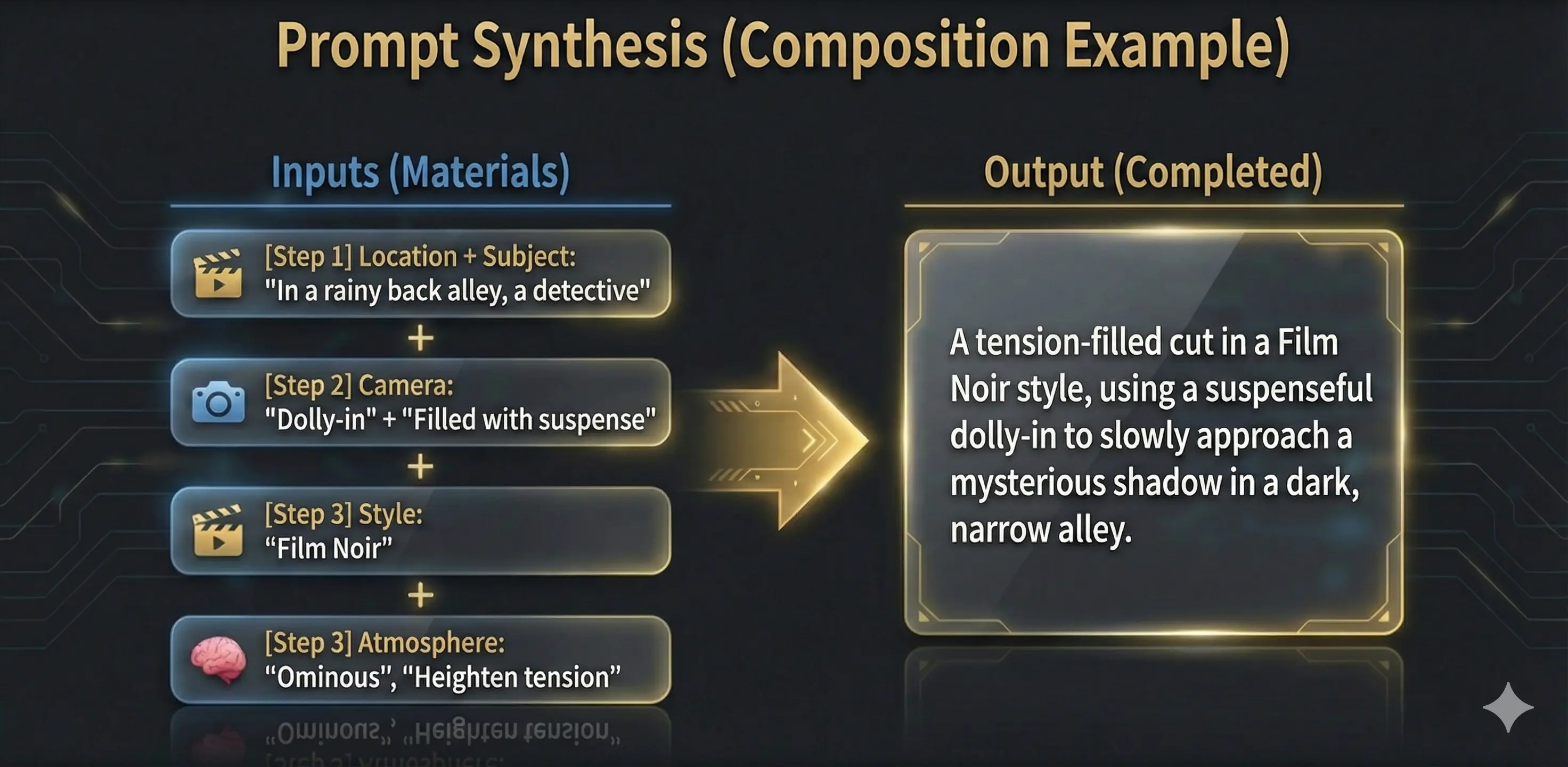
Prompt examples: “A suspenseful Dolly In down a dark, narrow alley, slowly approaching a shadowy figure.” “An ominous Pan Right that slowly sweeps along an empty hallway.”
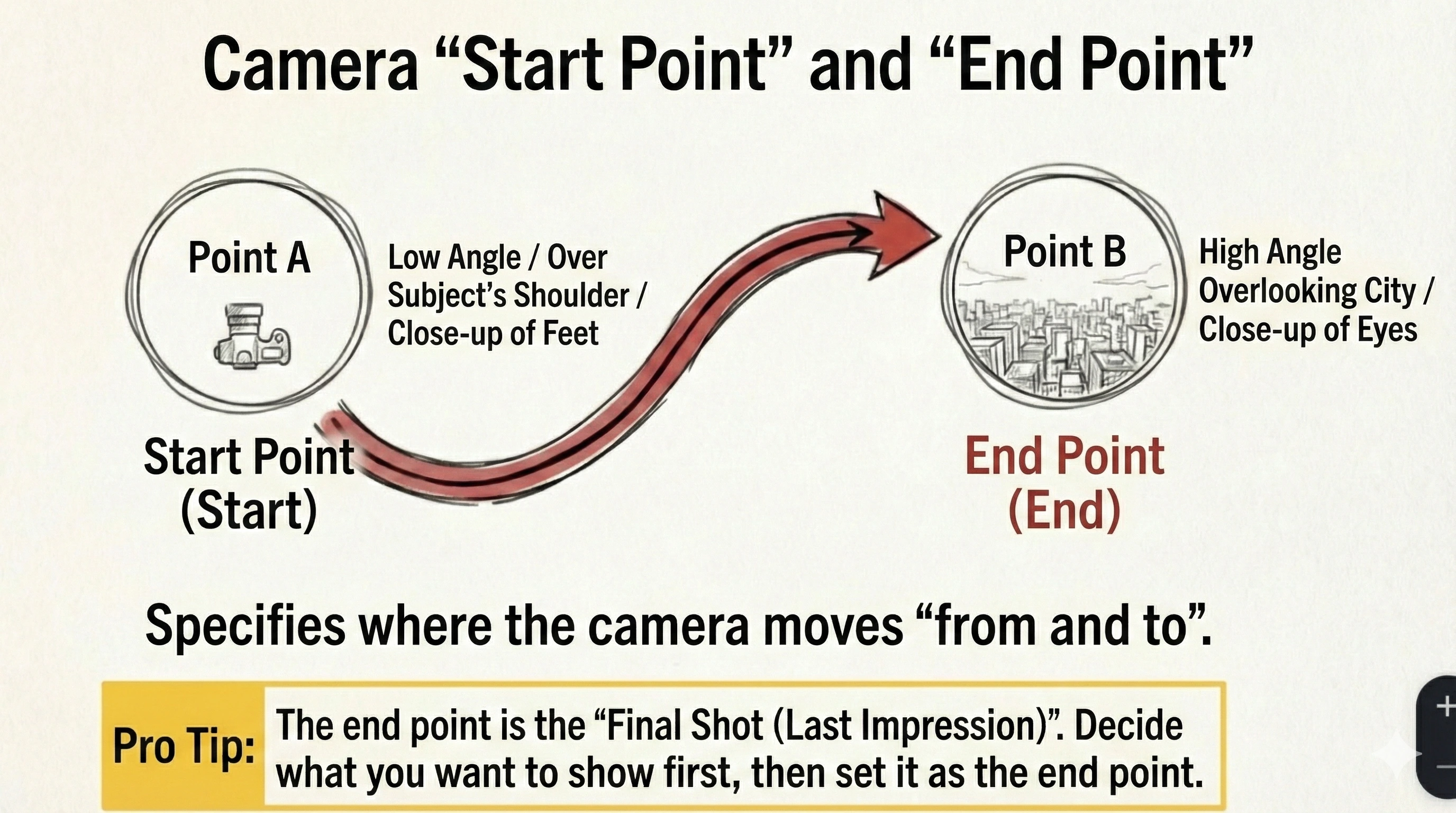
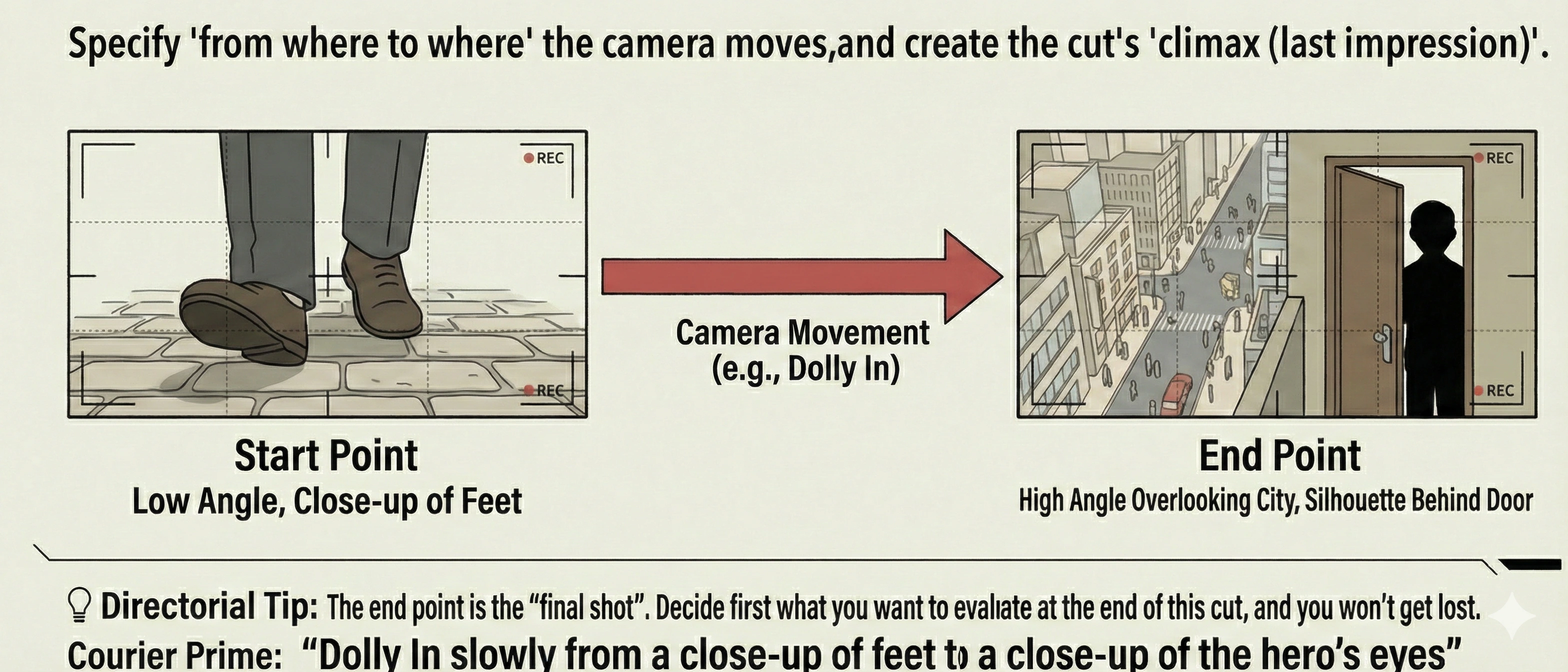
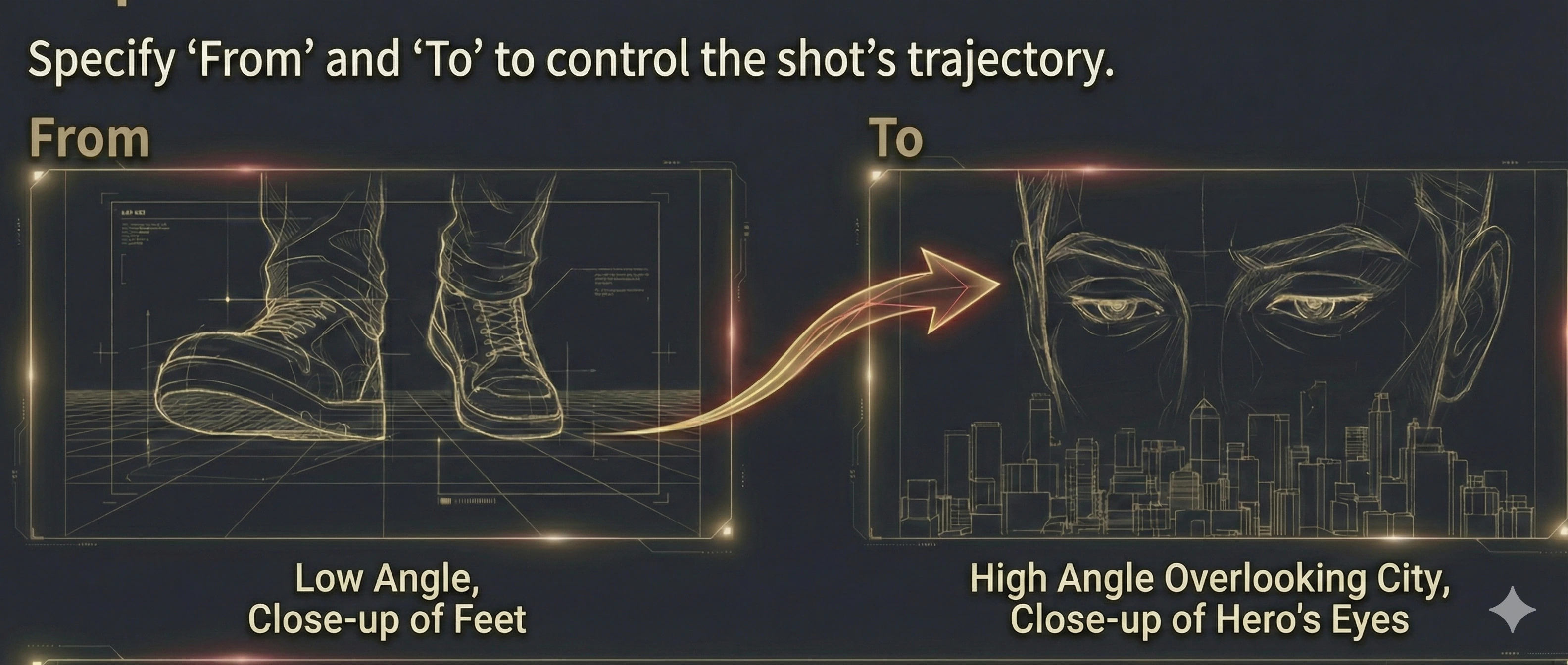
In Step 2, “From” and “To” let you describe where the camera moves from and to (or how the viewpoint changes) in short phrases. You can leave them blank, but filling them helps you control what the audience sees at the end of the shot.


Example: low angle
Example: high angle overlooking the city
🍕 Tip: “To” is your final frame—the last impression. Decide what you want to show at the end first, then write it into “To”.
Prompt examples: “From a low angle to a high angle overlooking the city, capture it with a majestic Pan Right.” “From a close-up on feet to a close-up on the hero’s eyes, capture it with a slow Dolly In.”


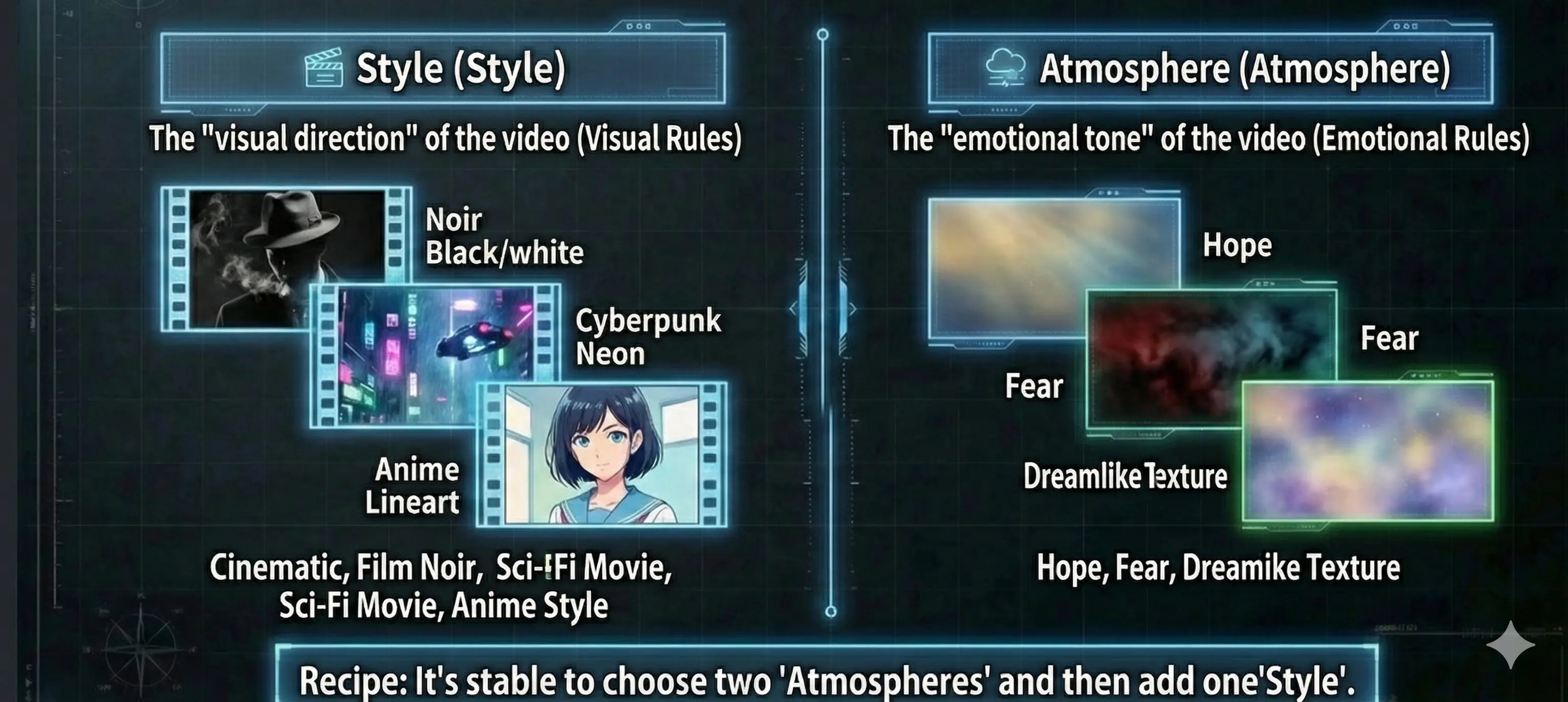
🍕 Step 3 is where you pick “look” and “emotion” toppings. Don’t overthink—just choose what you like. If unsure, pick two Atmosphere options first, then add one Style. To suggest more style or atmosphere options, use the Word Request Campaign.
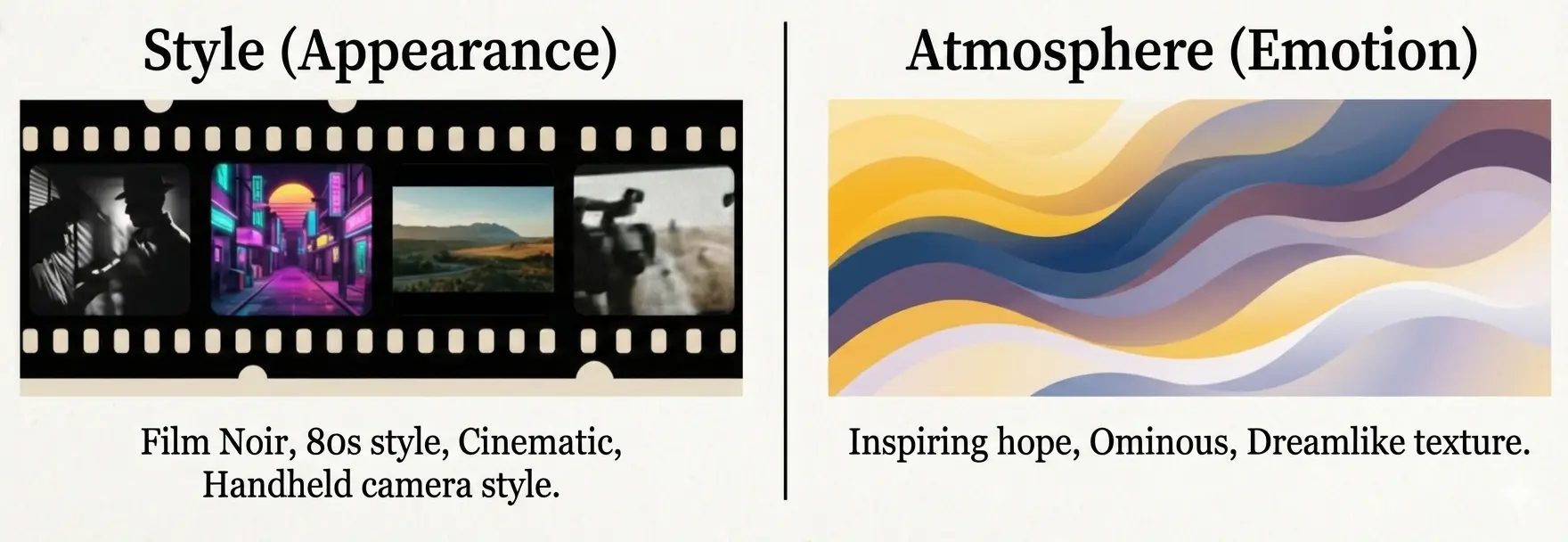
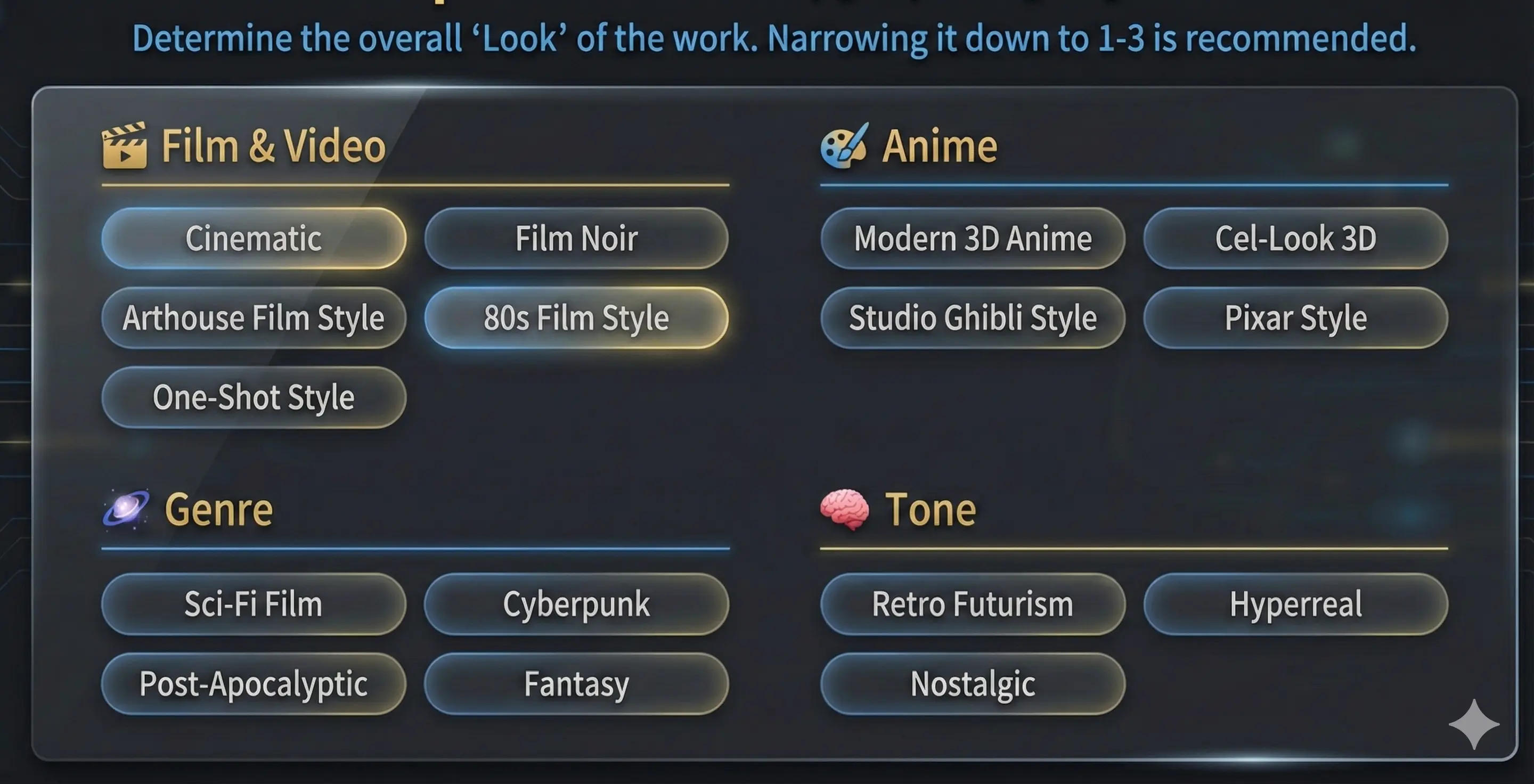
In Step 3, you choose the visual direction (Style) and the emotional tone (Atmosphere). You can select multiple options for both, and your choices are automatically reflected in the generated prompt.

Press “Select…” to open the style list (the modal shows “Style (multi-select)” at the top). If you want a consistent look, selecting 1–3 styles is usually best.
Examples available in the app (partial)
🎬 Film & Video Style
🎨 Anime & Visual Style
🌌 Genre
🧠 Tone & Mood
🌍 Cultural & Regional Style
⚙️ Frame Control
The above is a sample. In the app you can choose from many more styles.
How it appears in the prompt: “Cinematic, Film Noir style. …”

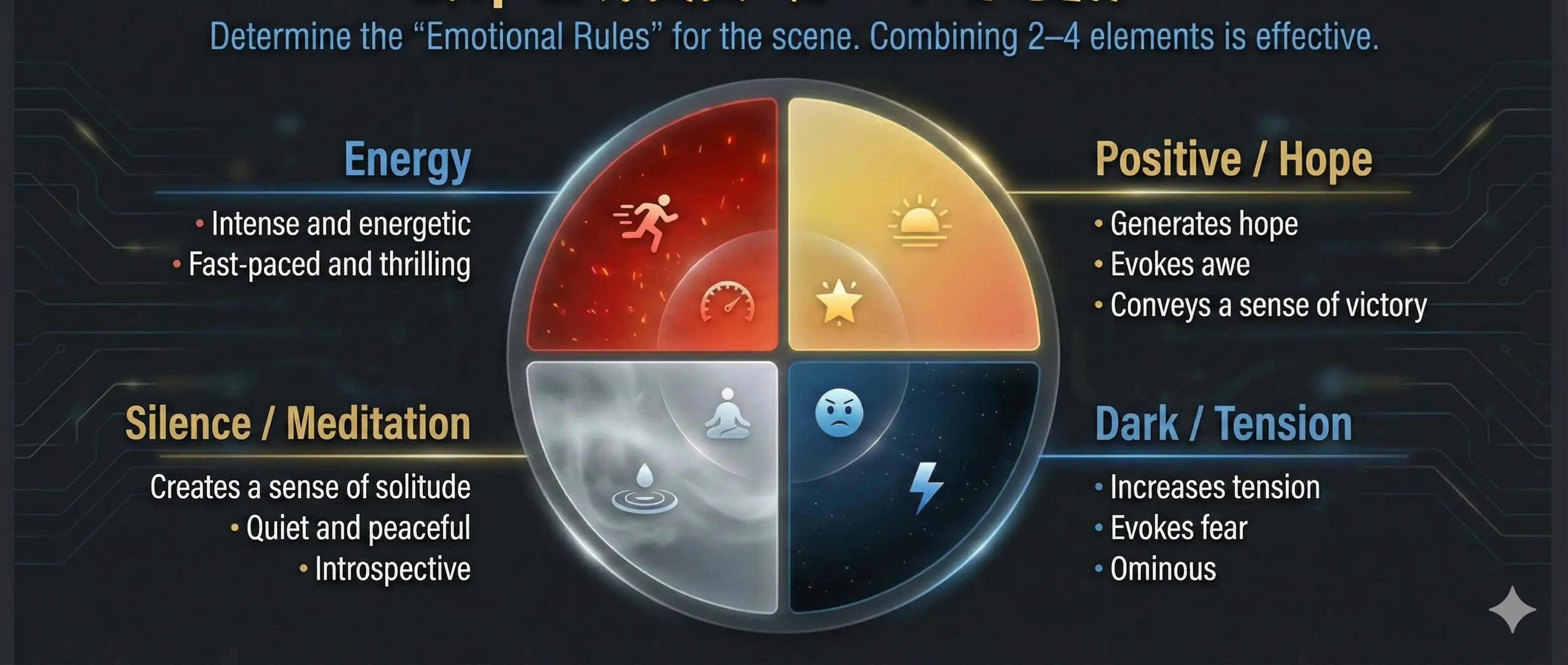
Press “Select…” to open the atmosphere list (the modal shows “Atmosphere (multi-select)” at the top). Atmosphere words describe emotion—combining 2–4 usually communicates intent well.
Examples available in the app (partial)
🌤️ Positive / Hope / Emotion
🌑 Dark / Tension / Fear
🧘 Silence / Meditation / Afterglow
🌀 Wonder / Dream / Fantasy / Abstract
💥 Energy / Vitality / Speed
💔 Sadness / Loss / Melancholy
✨ Change / Evolution / Journey
The above is a sample. In the app you can choose from many more atmospheres.
How it appears in the prompt: “… Create an atmosphere of a sense of hope and a triumphant feeling.”
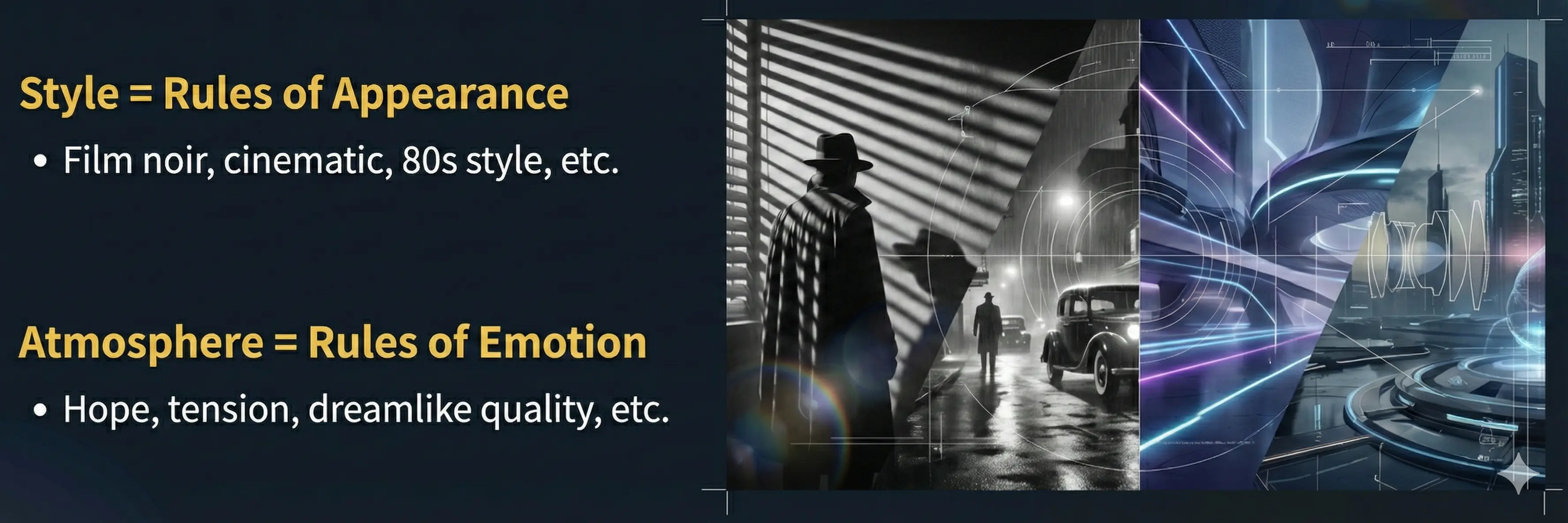
Tip: Style sets the visual rules; Atmosphere sets the emotional rules. If you’re unsure, pick two Atmosphere options first, then add a Style.

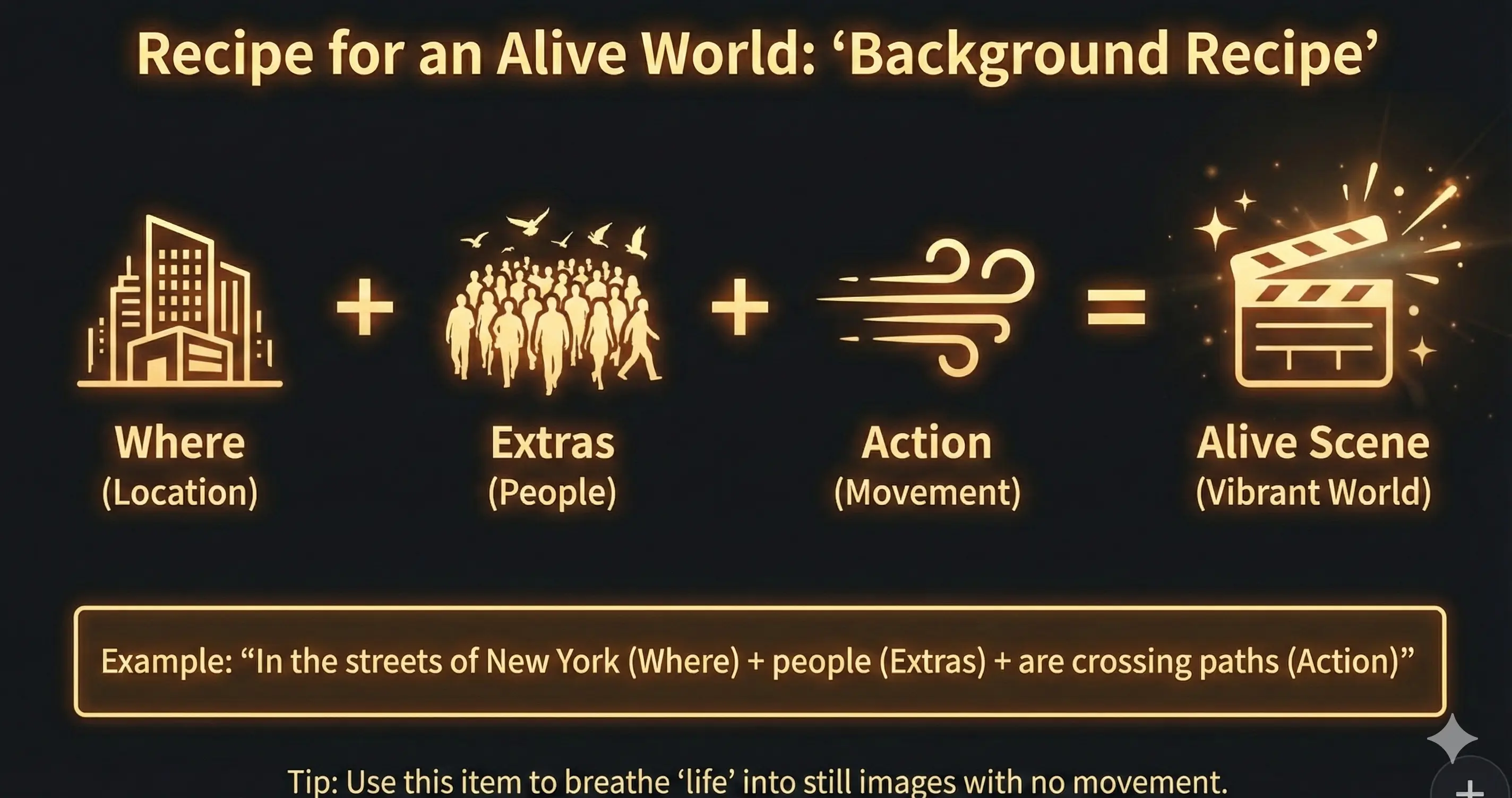
In the "Background (Extras)" field, you can describe the location, the look of the background, and any elements you want in the frame. You can enter just a place, just an action, or combine both in one sentence.
Examples
What you enter is included in the prompt so the scene is described more concretely.

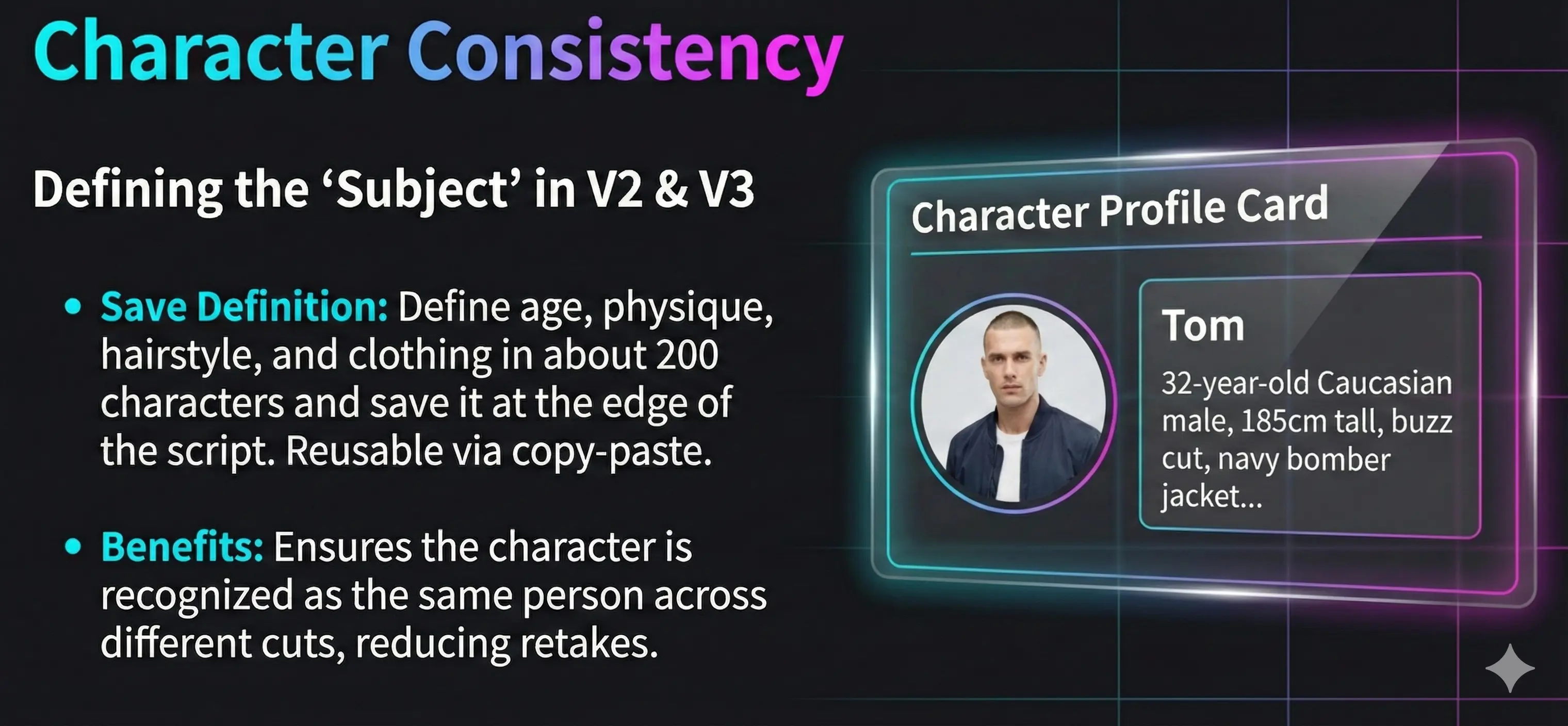
In V2 (single subject with optional dialogue and separate narration) and V3 (two-person dialogue), the "Subject" field lets you describe each character’s appearance and traits. Using the same description across shots helps the AI keep the same character consistent in your video.
A short "character brief" of around 200 characters—age, build, hair, clothes, overall impression—works well. Keep it in your script or notes and copy-paste whenever you need that character again.
For **three or more people** in one shot, use **V4** (Premium): separate appearance fields for subjects A–E. See the **V4 Shotlist** block on this page or the AI features page for the full walkthrough.
Example: AI character prompt (e.g. Have AI describe a film character in one sentence, ~200 chars: race, age, build, hair, clothes, impression—like “…appearance of Tom.”)
Tom: a 32-year-old white man, 185cm, solid build, short blond buzz cut with neat stubble, sharp blue eyes, wearing a navy bomber jacket over a clean white plain T-shirt, broad shoulders and a defined jaw—an active, strong presence.
In V3, each subject has appearance, on-screen dialogue, and an optional **Action** field (action-only → leave dialogue empty, or a simultaneous beat split from the line). That reduces mix-ups about who speaks. Talk-while-doing can stay in dialogue with a parenthetical, or split across dialogue + action; **if both are filled**, the app merges **(verb)line** inside quotes. Do not duplicate the same beat in both fields.

Clicking on the timeline creates a prompt with the currently selected tool. You can adjust the position with drag & drop.
Right-click (long press) to open the menu and duplicate similar scene settings for efficiency.
After changing settings in the center column, you can update by selecting "Overwrite Save" from the right-click menu.
Unnecessary prompts can be deleted from the right-click menu. Keep the entire project organized and managed.

Prompts are not auto-saved. Please save manually.
Remember to save before leaving the page.
If you are not logged in, your project is stored only in the browser cache (temporary storage). It may be lost if you clear the browser or change devices, so please treat this as trial use only.
Deleted prompts cannot be restored.
Save the sticky notes you created on the timeline.
Save the entire script. (This saves to the cloud.)
Duplicate existing prompts for efficient work.
Easily change the order of prompts.
Directors Console is a comprehensive tool that streamlines film production workflows and supports AI-powered video creation. It covers everything from basic workflows to advanced camera work and prompt management that filmmakers need.
Layout only — does not use AI credits
Tidy the script column for your screen size so you can focus on writing and timeline cuts.
Movie editor
A quick, visual-first guide to the script column: timeline and focus mode.
Use the switch next to the title. No AI credits are used—layout only.
Focus mode OFF
All usual controls stay visible (language, project, V1–V3, save, etc.). On phones the page is taller; with the timeline on, the script area still scrolls inside its panel.
Focus mode ON (narrow screen)
A compact header card frees space for the script. Bottom nav switches Script / Director / Output. With the timeline on and a sticky selected, a Cut jump (🎞️) appears between Script and Director and scrolls to that sticky.
Focus mode ON (wide screen / desktop)
You keep the three-column layout, but the left column uses a compact header and AI toolbar—nav rows and the large console card hide. There is no bottom column nav on wide screens. With the timeline on and a sticky selected, a cut jump (🎞️) appears directly under the timeline area, styled like the mobile control.
Now that you've read and understood the documentation, try experiencing film production with Directors Console.