Camera work
Camera Work Details
AI camera work
When generating cuts, the AI reads your script and scene line to set lens, movement, adjectives, and start/end framing for each shot—matching the same fields you can pick manually in the guide below.
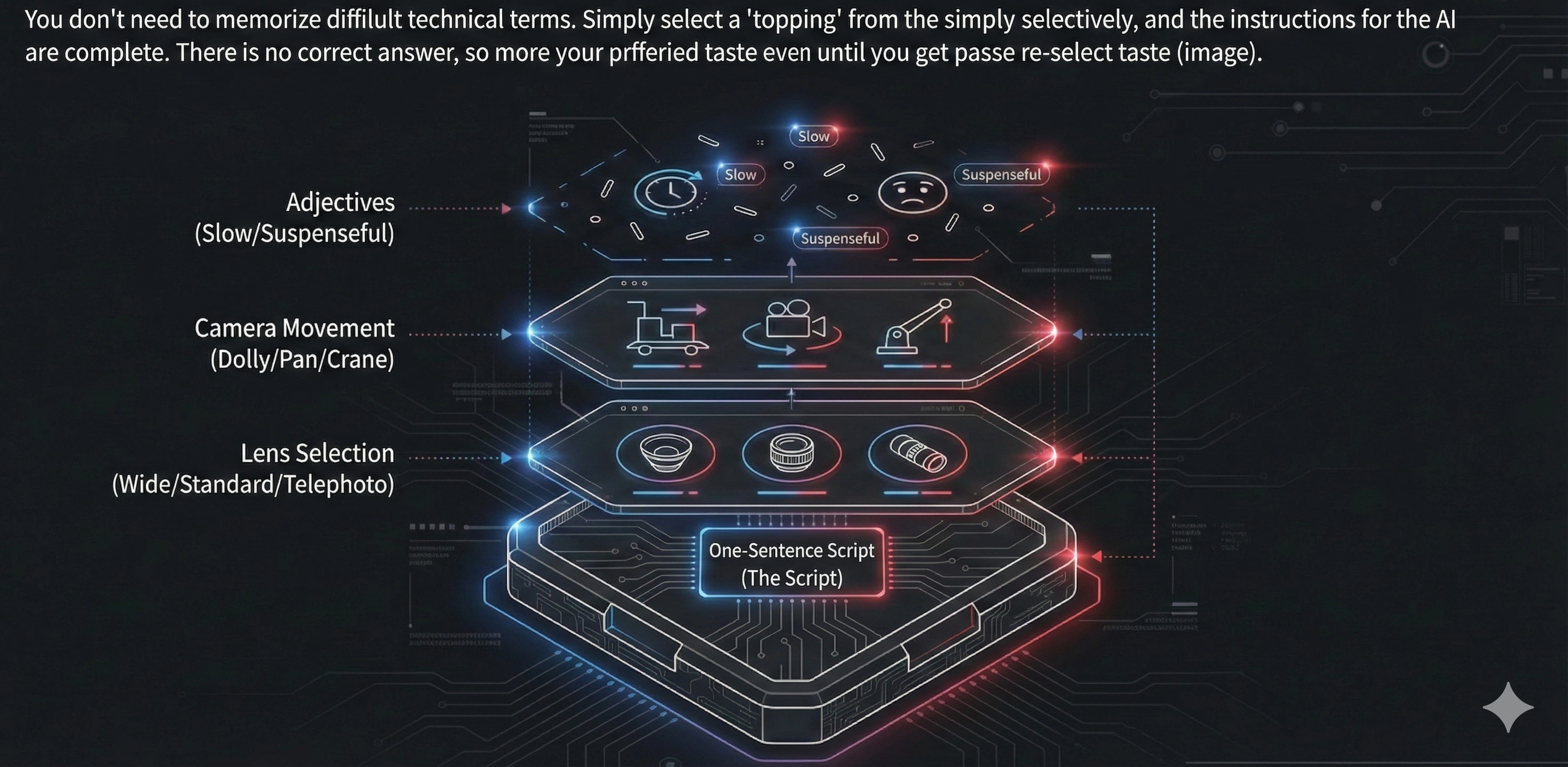
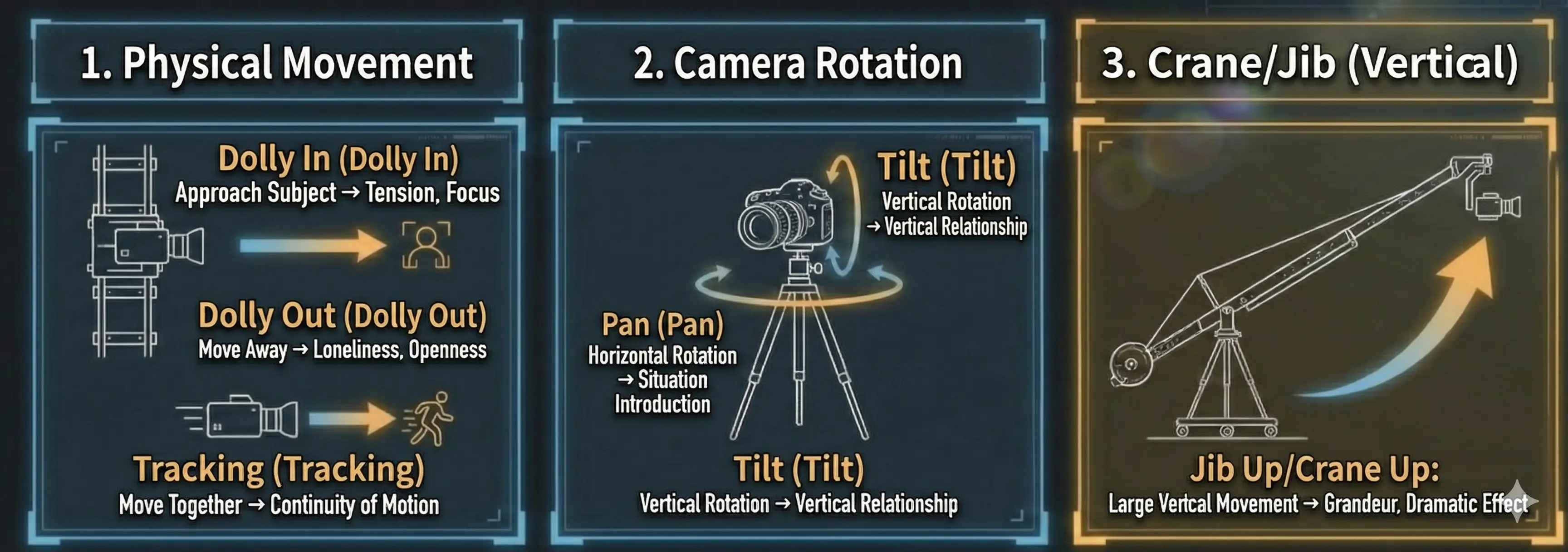
🍕 Think of this as a “camera-work menu”. Like choosing pizza toppings, just pick what feels right. There’s no single correct answer—start with one and adjust until it matches your intent. If the move you want isn’t listed, you can suggest it via the Word Request Campaign.
1. Physical Movement
Dolly In
Camera movement toward the subject. Creates tension and focus.
Example: Slow dolly in on her face as her expression hardens with new resolve.
Dolly Out
Camera movement away from the subject. Creates loneliness or openness.
Example: Slow dolly out to reveal the vast desert, emphasizing his isolation.
Tracking Shot
Camera work that moves with the subject. Expresses continuity of movement.
Example: Smooth tracking shot following the detective through the crime scene.
2. Panning
Pan
Horizontal camera rotation. Used to introduce landscapes or situations.
Example: Slow pan right across a serene zen garden, from stone lantern to sand pattern.
Tilt
Vertical camera rotation. Expresses vertical relationships.
Example: Start on boots, then tilt up slowly to reveal the full armor.
3. Crane/Jib
Jib Up
Camera movement upward. Creates grandeur and openness.
Example: A couple kisses, the camera gracefully jib ups high above.
Crane
Large-scale vertical movement. Creates dramatic effects.
Example: Crane down from the wide city view to focus on the lone figure on the rooftop.
4. Zoom & Focus
Zoom In
Changes the focal length of the lens to magnify the subject. Creates tension.
Example: Slow zoom in on the mysterious letter, creating tension as details become clearer.
Zoom Out
Changes the focal length of the lens to reduce the subject. Reveals the big picture.
Example: Zoom out to reveal the character is actually in a massive, futuristic laboratory.
🍕 When a single dictionary term isn’t enough, choose “Other (custom)” for Camera work and chain moves with +, commas, or line breaks. The assembled prompt passes your combined wording through as written (together with lens, adjectives, start/end points, etc.).
Compound ① — Camera and subject move independently
Use this mental model when you want both equipment motion and in-frame action—e.g. pushing in while the subject crosses the frame.
Example: Dolly In + Pan Right — pushing in while slowly panning right.
Compound ② — Travel and pan in one shot
Describe multiple camera moves in one line—e.g. traveling forward or backward while reframing with a pan.
Example: Tracking Shot, Slow Push — matching subject travel while slowly pushing in.
5. Lens Selection
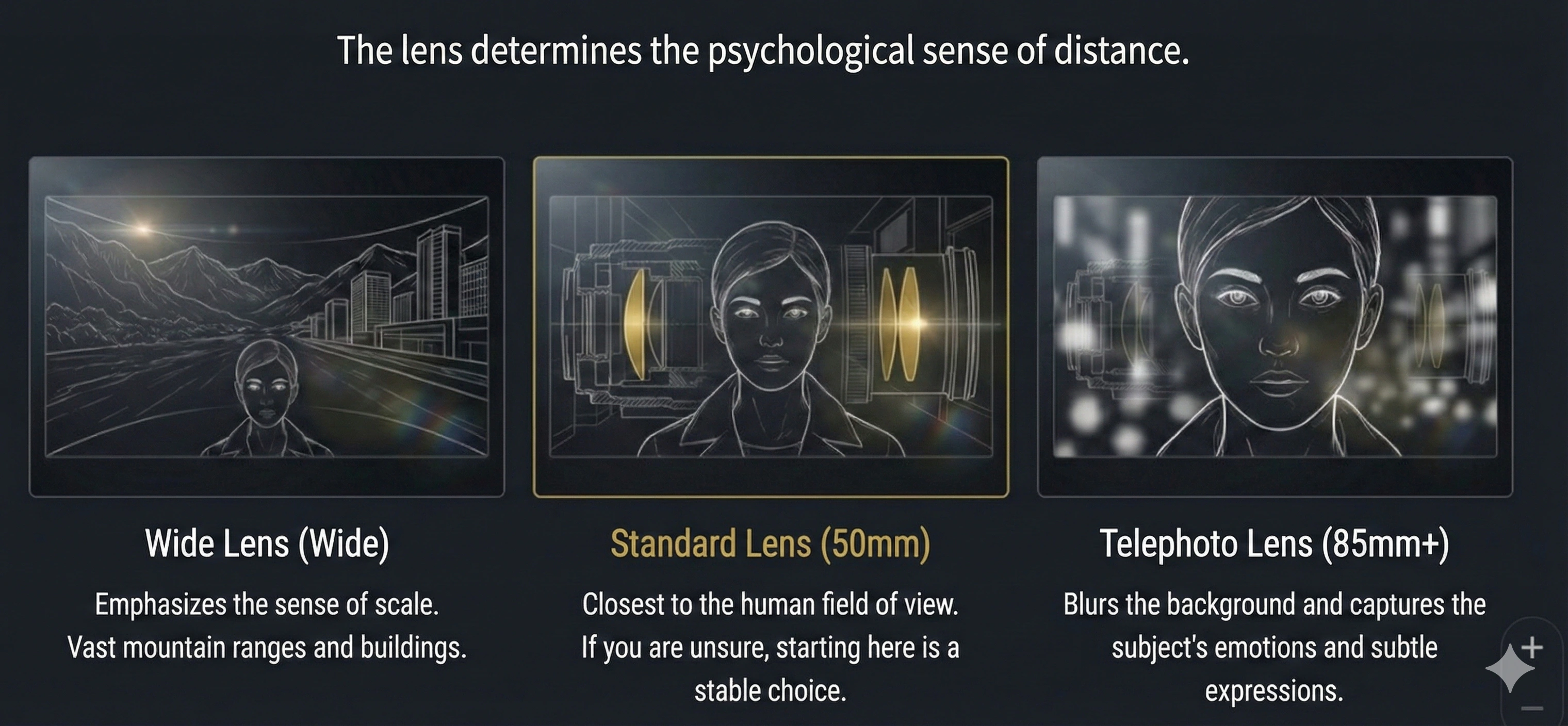
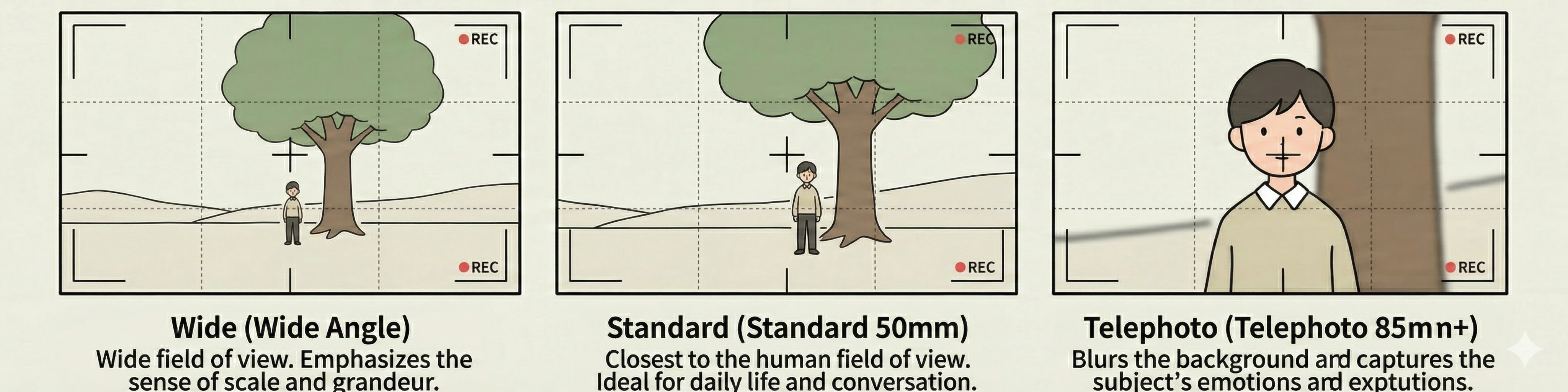
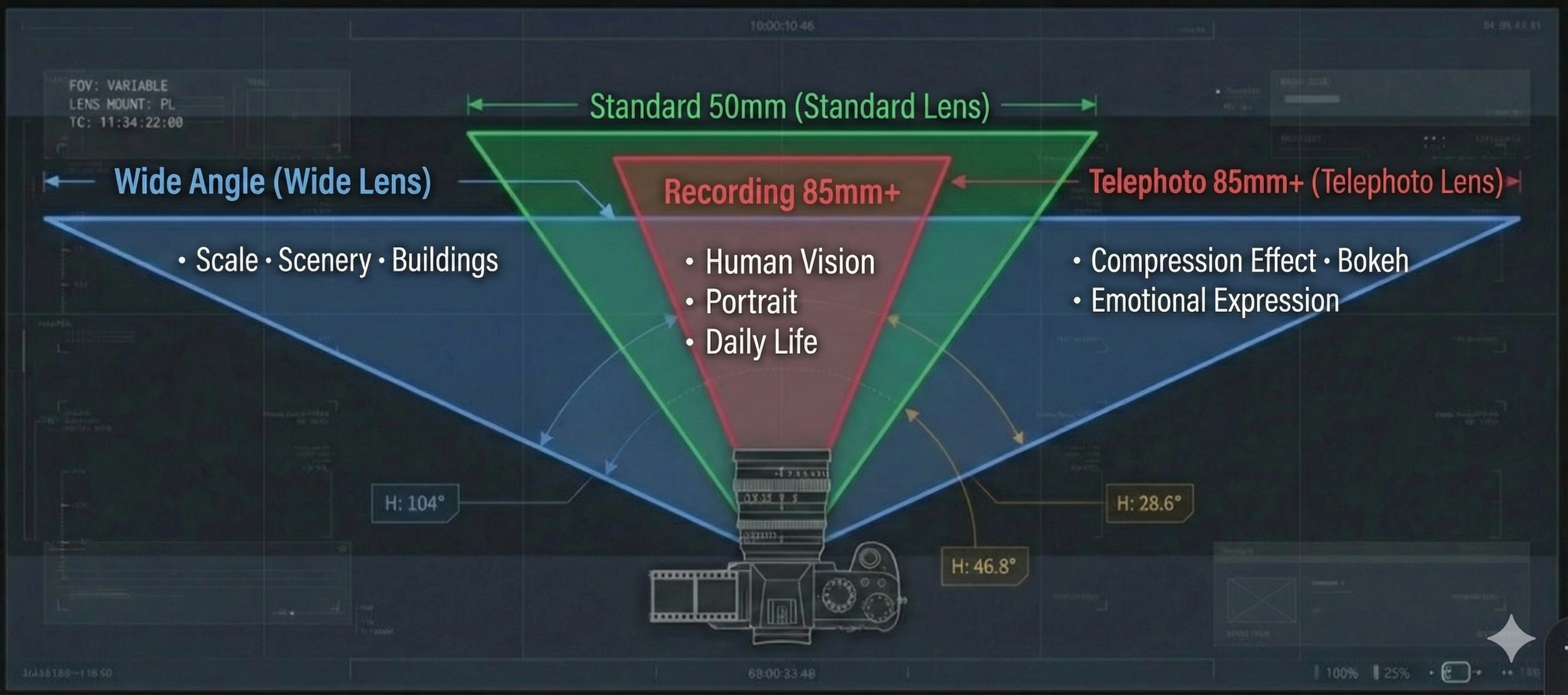
🍕 The lens is your “framing topping”: wide, standard, or telephoto. Pick intuitively. If you’re unsure, start with Standard (50mm) for a safe baseline. If you want a lens term that’s not in the list, use the Word Request Campaign.
Wide Angle Lens
Used for shooting landscapes and buildings with a wide field of view. Can emphasize scale.
Example: Wide-angle shot of vast mountain range, emphasizing nature's scale and majesty.
Standard Lens (50mm)
Most natural field of view closest to human vision. Suitable for portraits and everyday scenes.
Example: Medium shot with 50mm lens capturing intimate conversation between two characters.
Telephoto Lens (85-200mm+)
Magnifies the subject and blurs the background. Suitable for close-ups and long-distance shooting.
Example: Telephoto close-up of actor's eyes, capturing subtle emotions in expression.
6. Camera Work Modifiers (Adjectives)
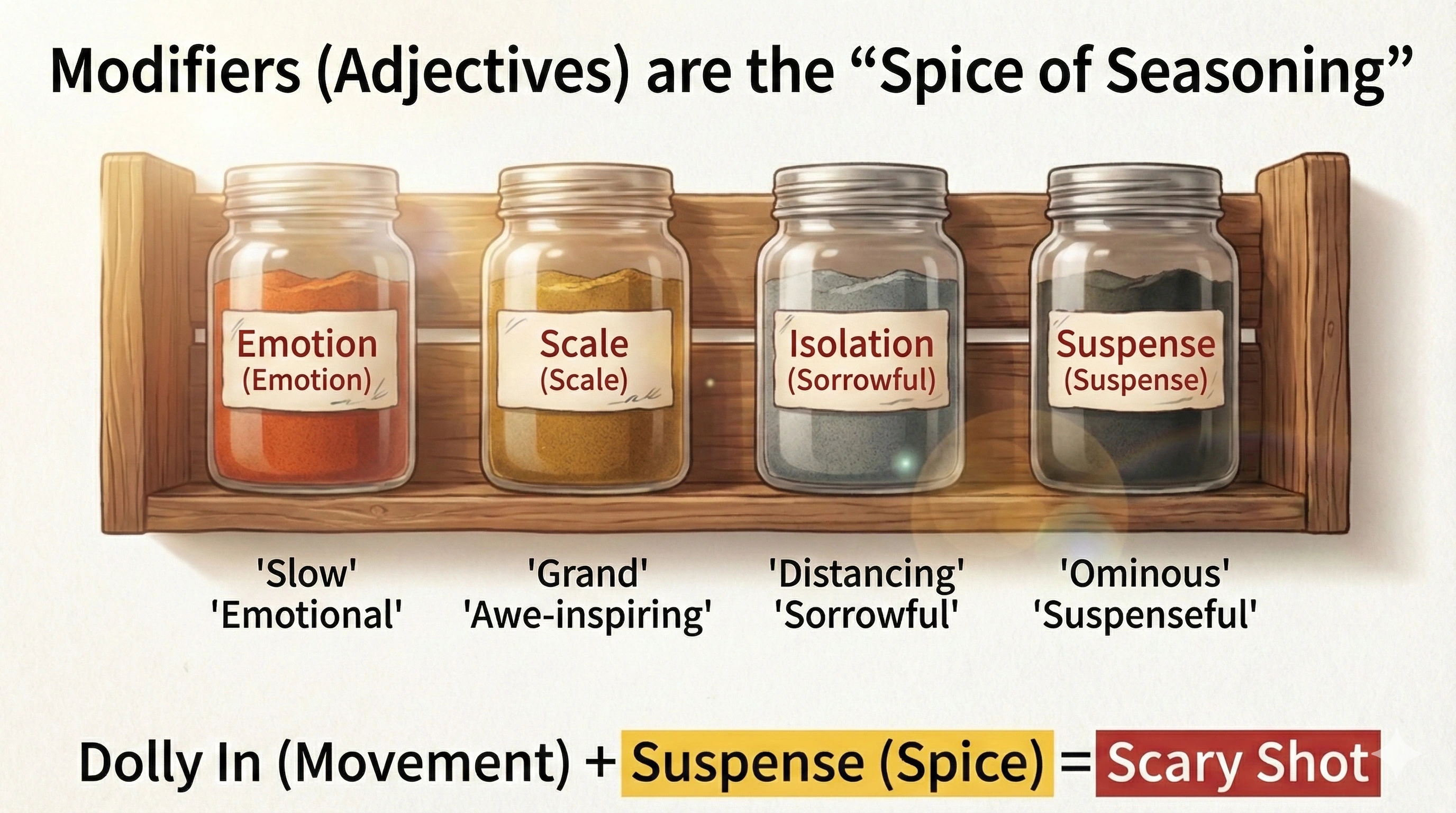
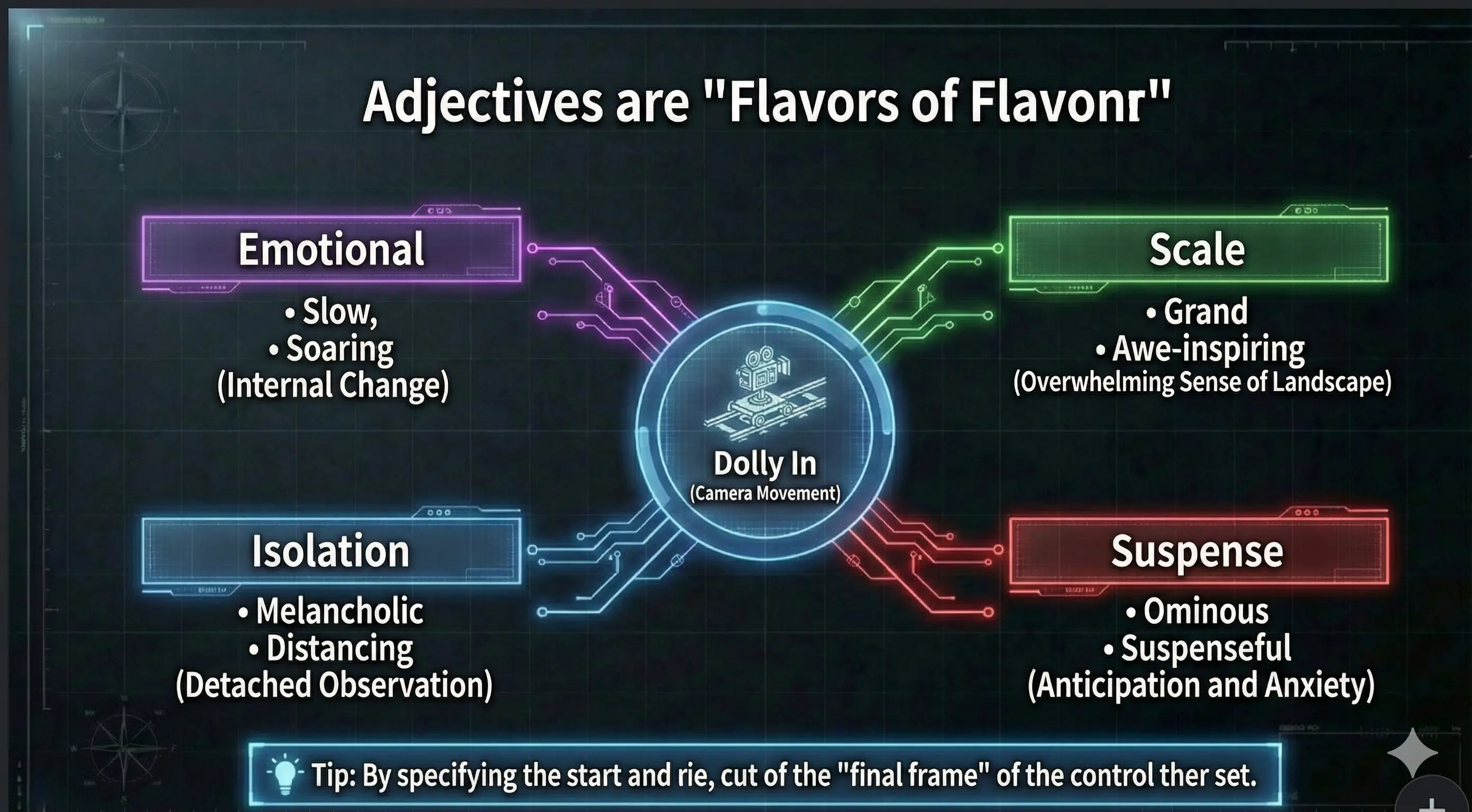
🍕 Adjectives are “seasoning toppings”. Add one nuance on top of the movement (Dolly / Pan, etc.). Start with just one—swap it to change the feel quickly. Missing an adjective you want? You can request it via the campaign.
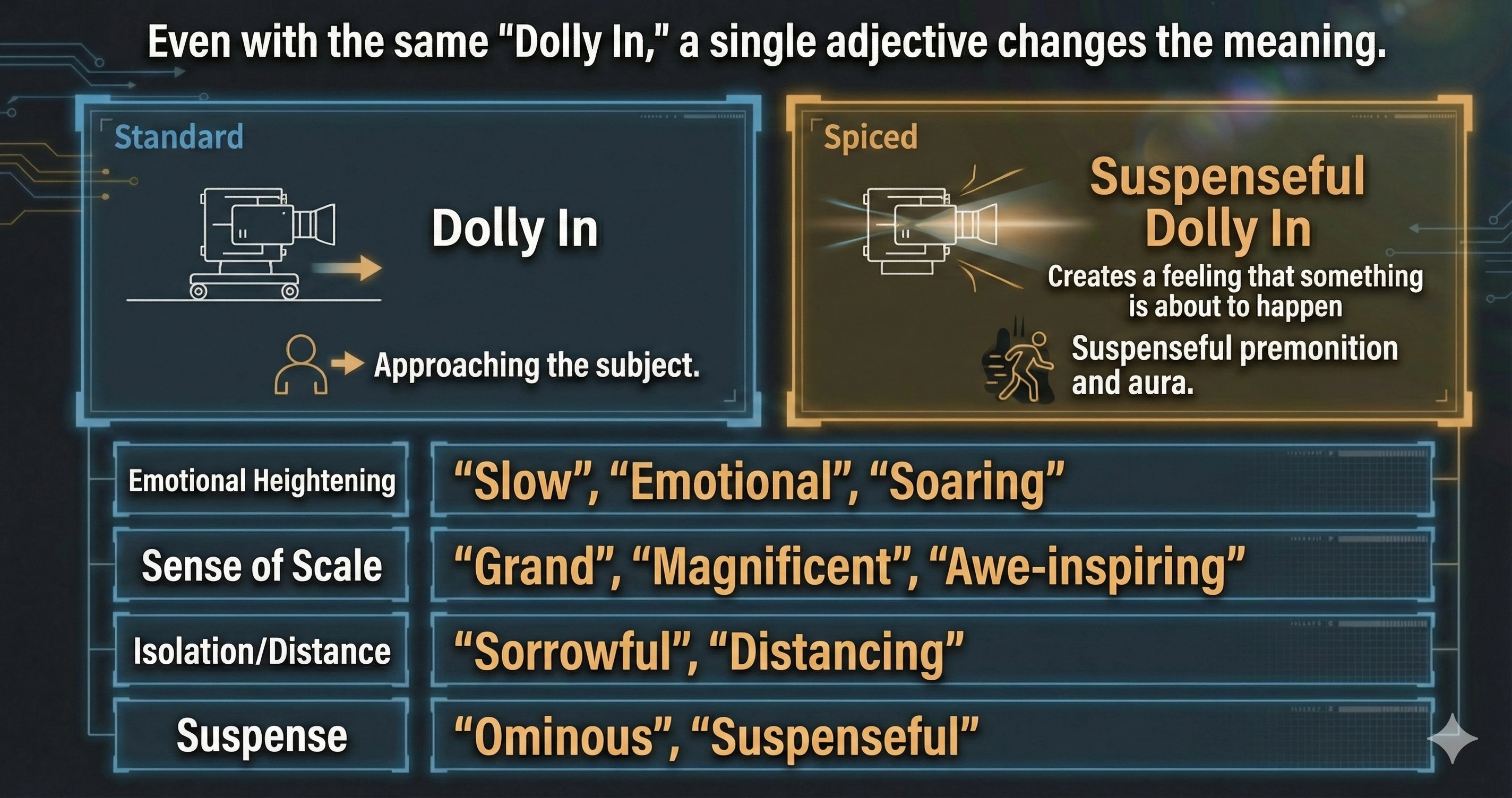
In Step 2 “📷 Design Camera”, you combine lens, basic movement (Dolly In / Pan / Tilt, etc.) and modifiers (adjectives) to describe *how* the camera feels. Even with the same Dolly In, a “slow Dolly In” and a “suspenseful Dolly In” create completely different impressions.
Adjectives for Emotional Rise
Use these when you want to emphasize the character’s inner emotions and lift the audience’s feelings.
- slow — Lets the audience slowly savor the emotion.
- emotional — Highlights strong feelings like joy, anger, or sorrow.
- soaring — Fits moments of victory, liberation, or uplift.
Prompt examples: “A slow Dolly In that moves in on the victorious hero’s expression.” “A soaring Crane Up that rises from the hero on the mountain peak into the sky.”
Adjectives for Scale and Grandeur
Use these when you want to express the size, sacredness, or epic scale of the world or landscape.
- majestic — For sacred, weighty scenes like temples or peaks.
- epic — Emphasizes huge scale, like vast valleys or battlefields.
- awe-inspiring — Makes the audience feel overwhelmed by the view.
Prompt examples: “An epic Pan Right with a 24–35mm lens that smoothly reveals a vast, newly discovered valley.” “An awe-inspiring Dolly Out that contrasts a lone explorer with the scale of the canyon.”
Adjectives for Loneliness and Distance
Use these when you want to show distance between the character and the world, or a sense of sadness and coldness.
- slow — Creates a heavy, almost frozen sense of time.
- melancholy — Fits loss, farewells, and emotional afterglow.
- distancing — Keeps the camera away, emphasizing isolation.
Prompt examples: “A slow Dolly Out on an empty, rain-slicked street that emphasizes a melancholy mood.” “A distancing Pan Left that watches a solitary figure from far away.”
Adjectives for Suspense and Unease
Use these when you want the audience to feel tension, unease, and a fear of what might happen next.
- suspenseful — Suggests that something is about to happen.
- dramatic — Fits climaxes and major turning points.
- ominous — Feels like something bad is looming ahead.
Prompt examples: “A suspenseful Dolly In down a dark, narrow alley, slowly approaching a shadowy figure.” “An ominous Pan Right that slowly sweeps along an empty hallway.”
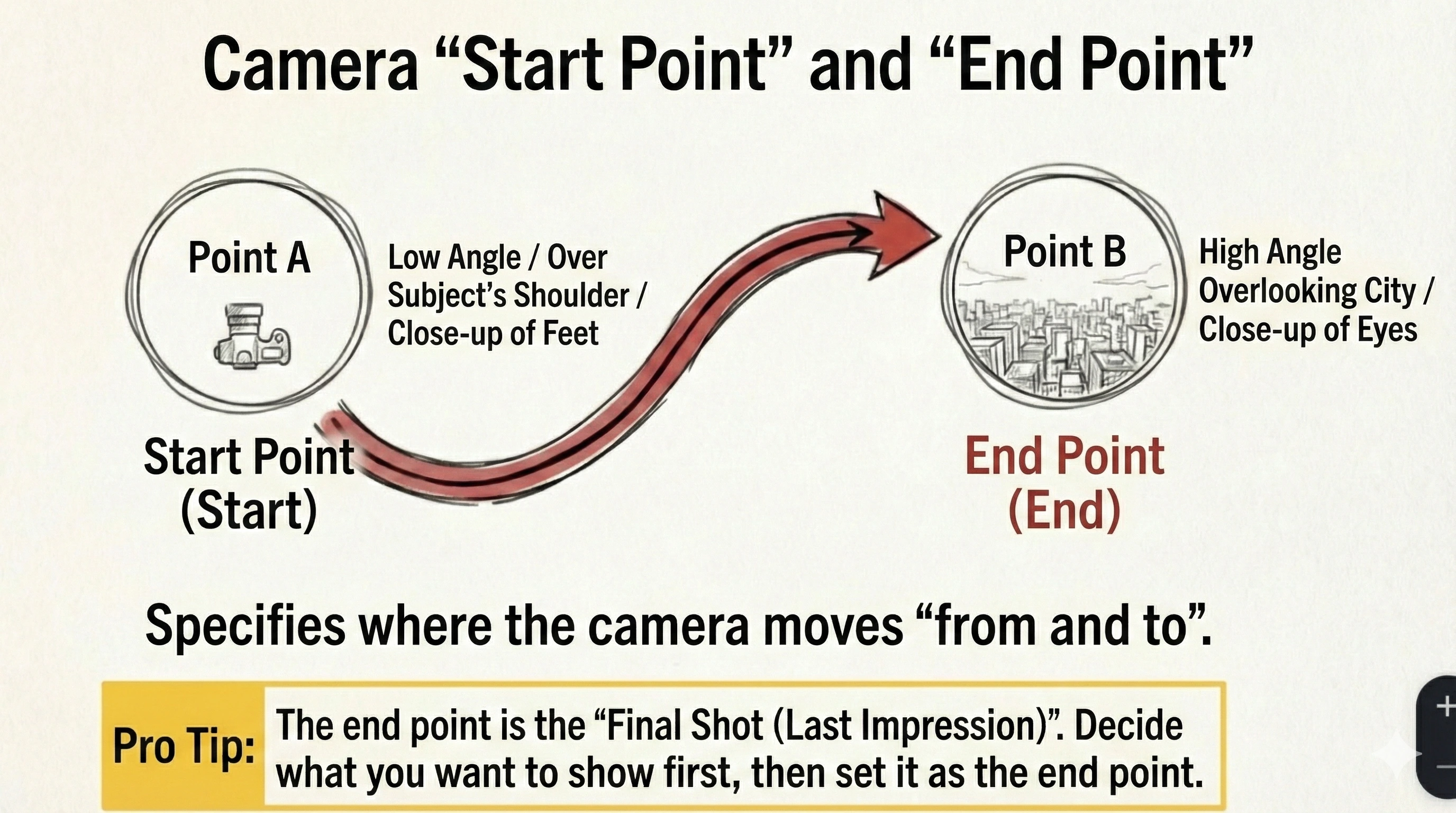
🎯 Decide the camera “From” and “To”
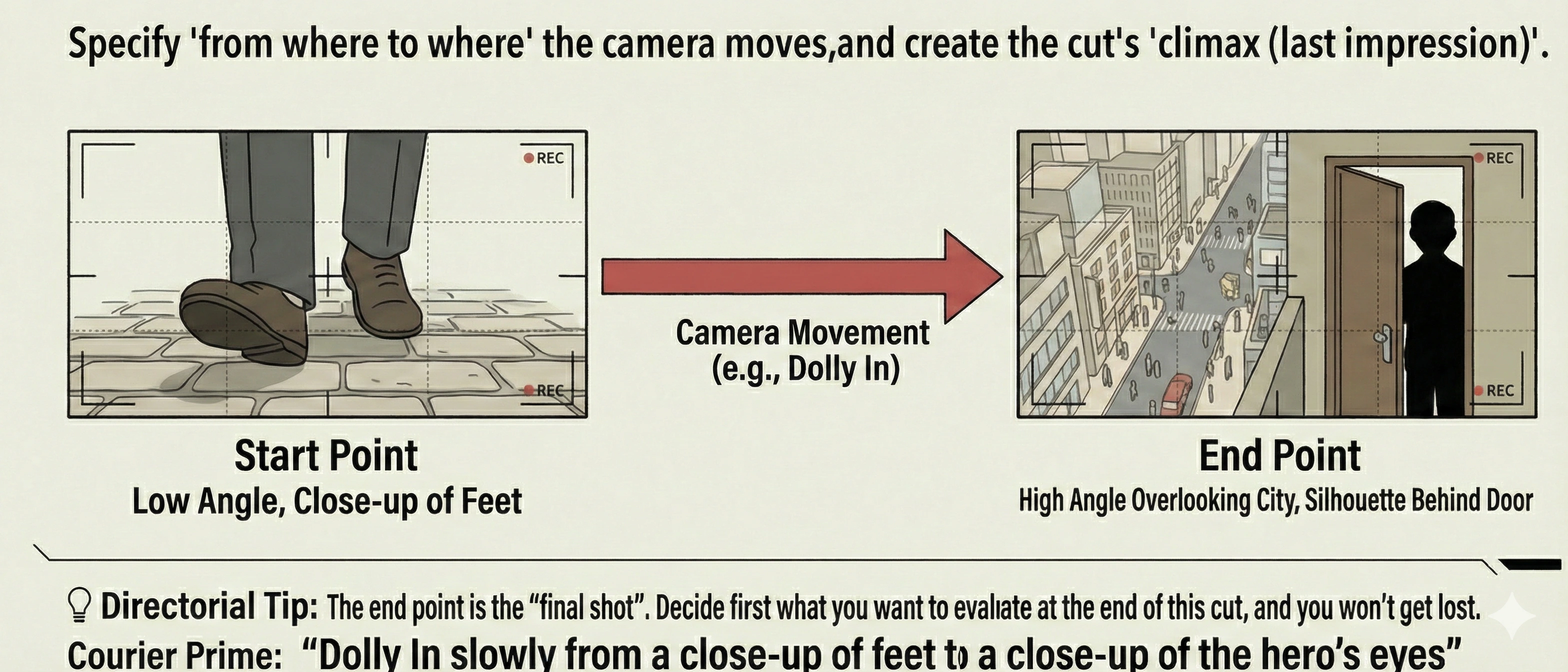
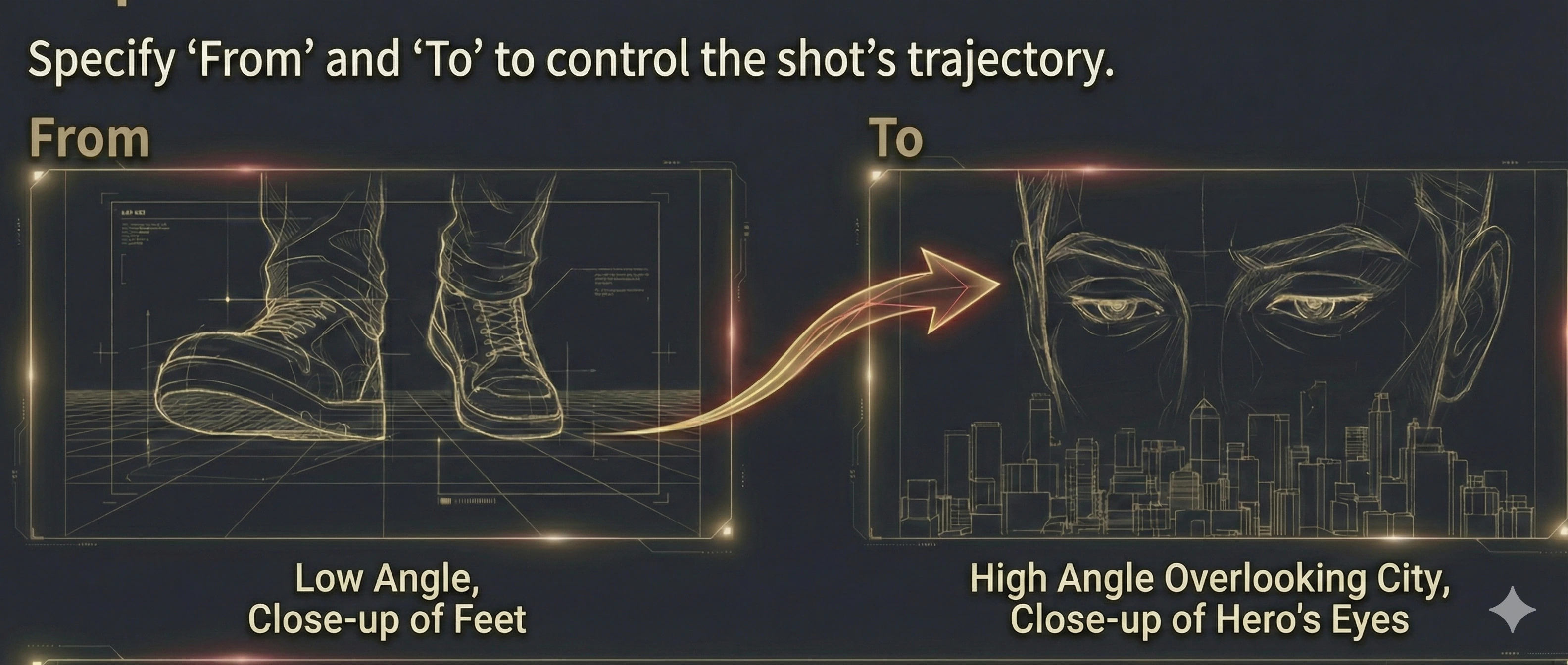
In Step 2, “From” and “To” let you describe where the camera moves from and to (or how the viewpoint changes) in short phrases. You can leave them blank, but filling them helps you control what the audience sees at the end of the shot.
From (examples)
- - low angle
- - over the subject’s shoulder
- - close-up on feet
- - wide establishing view
Example: low angle
To (examples)
- - high angle overlooking the city
- - close-up on the hero’s eyes
- - the key in their hand
- - a silhouette beyond the door
Example: high angle overlooking the city
🍕 Tip: “To” is your final frame—the last impression. Decide what you want to show at the end first, then write it into “To”.
Prompt examples: “From a low angle to a high angle overlooking the city, capture it with a majestic Pan Right.” “From a close-up on feet to a close-up on the hero’s eyes, capture it with a slow Dolly In.”
🚀 Start Film Production Now!
Now that you've read and understood the documentation, try experiencing film production with Directors Console.